CRM software (Customer Relationship Management software) is a tool that helps businesses manage customer information, interactions, leads, sales, and relationships in one central system. It allows businesses to store contact details, track customer communications, manage sales pipelines, automate follow-ups, and analyze customer data. CRM software is commonly used by sales, marketing, and customer support teams to enhance productivity, increase customer retention, and deliver improved customer service.
Key Takeaway: CRM software centralizes customer data and interactions, enabling businesses to manage leads effectively, enhance sales, automate tasks, and foster stronger customer relationships.
Read Our Guide On:
Why GenBoostermark Software Is So Popular in 2026
What Is CRM Software?
CRM software, short for Customer Relationship Management software, is a digital tool that helps businesses manage customer information, sales activities, communication, and customer support in one place.
Instead of keeping customer details in multiple files or applications, CRM software stores everything in a centralized database. This allows employees to access customer information quickly, track previous interactions, schedule follow-ups, and build stronger customer relationships.
A CRM system records information such as:
- Customer names
- Contact information
- Purchase history
- Emails and phone calls
- Sales opportunities
- Meeting notes
- Support requests
- Marketing interactions
Having all this information in one location helps businesses deliver better customer experiences while improving internal efficiency.
Why Is CRM Software Important?
Customer expectations continue to grow. People expect fast responses, personalized communication, and excellent service. Without proper organization, businesses may lose track of customers, miss sales opportunities, or provide inconsistent support.
CRM software solves these problems by organizing customer information and helping teams work more efficiently.
Some major reasons businesses use CRM software include:
- Better customer relationship management
- Improved communication
- Faster customer support
- Increased sales opportunities
- Better organization
- Higher customer satisfaction
- Improved team collaboration
- Automated repetitive tasks
- Accurate sales reporting
- Better business decisions
Instead of searching through emails or spreadsheets, employees can instantly access complete customer information.
Key Takeaway: CRM software helps businesses organize customer data, improve sales, save time, and build stronger customer relationships.
How Does CRM Software Work?
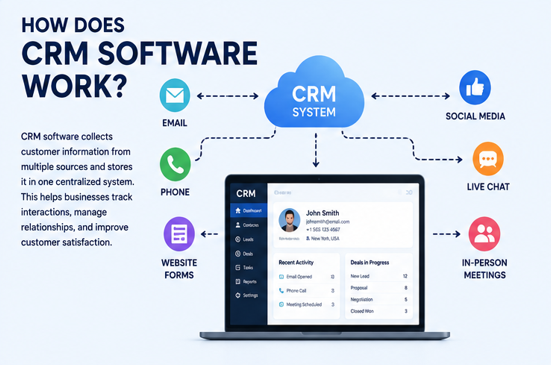
CRM software collects and organizes customer information from different sources into one system.
Whenever a customer contacts your business through email, phone, website forms, live chat, or social media, the CRM records those interactions.
Employees can then:
- View customer profiles
- Track communication history
- Update contact information
- Schedule follow-up reminders
- Record sales activities
- Manage customer support cases
- Generate reports
Because everything is stored in one location, every department has access to the same customer information.
For example, if a customer contacts support after purchasing a product, the support representative can immediately view the customer’s purchase history and previous conversations without asking repetitive questions.
Key Features of CRM Software
CRM software offers many powerful features that help businesses improve customer relationships and streamline daily operations.
Contact Management
Contact management is one of the core features of every CRM system.
It stores customer information, including:
- Names
- Phone numbers
- Email addresses
- Company details
- Purchase history
- Notes
- Communication history
This creates a complete customer profile that employees can access anytime.
Lead Management
Businesses receive leads from many different channels.
CRM software helps organize these leads by allowing businesses to:
- Capture new leads
- Assign leads to sales representatives
- Track lead progress
- Score lead quality
- Follow up automatically
This reduces the chances of losing potential customers.
Sales Pipeline Management
Sales teams use CRM software to manage opportunities throughout the sales process.
A sales pipeline typically includes stages such as:
- New Lead
- Qualified Lead
- Contact Made
- Proposal Sent
- Negotiation
- Closed Deal
CRM software makes it easy to track where every customer is in the buying journey.
Customer Support Management
Many CRM systems include customer support tools.
Support teams can:
- Track customer tickets
- Respond faster
- View previous conversations
- Monitor unresolved issues
- Improve response times
Better support often leads to happier and more loyal customers.
Task and Activity Management
CRM software helps employees stay organized.
Users can:
- Create tasks
- Schedule follow-ups
- Set reminders
- Track appointments
- Monitor deadlines
This ensures important customer interactions are never forgotten.
Reporting and Analytics
One of the biggest advantages of CRM software is data analysis.
Businesses can generate reports such as:
- Sales performance
- Customer growth
- Revenue reports
- Marketing performance
- Customer retention
- Lead conversion rates
These insights help managers make better business decisions.
Workflow Automation
Modern CRM software automates repetitive tasks.
Automation may include:
- Sending welcome emails
- Follow-up reminders
- Lead assignments
- Appointment confirmations
- Sales notifications
- Customer onboarding
Automation saves time while improving consistency.
Types of CRM Software
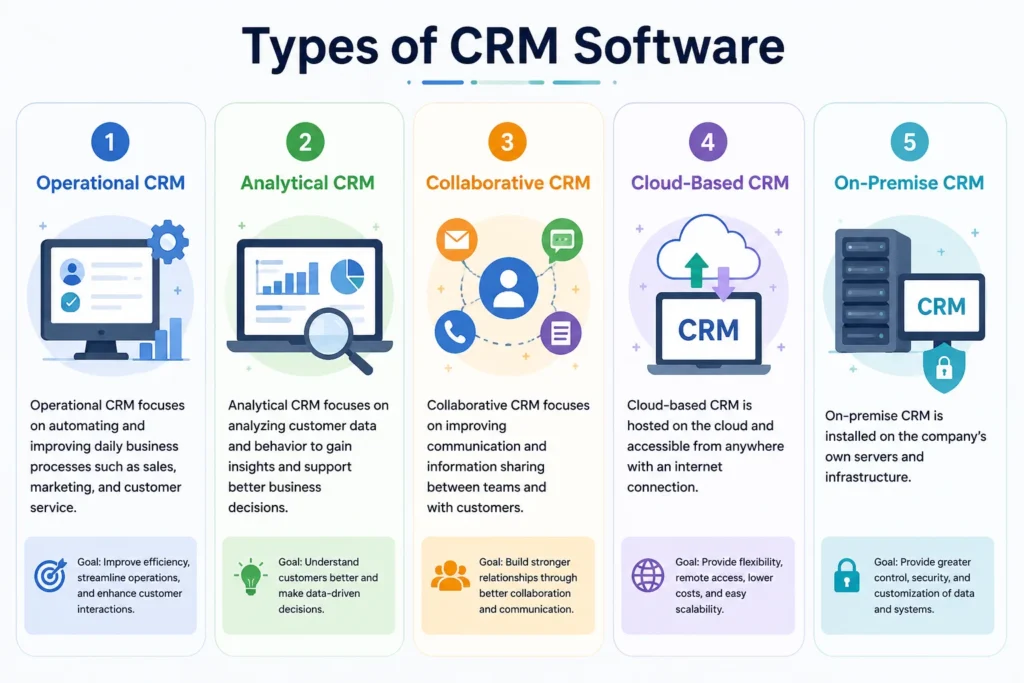
Different businesses have different needs. That is why CRM software comes in several categories.
Operational CRM
Operational CRM focuses on automating daily business activities.
It helps with:
- Sales automation
- Marketing automation
- Customer support
- Contact management
This type is ideal for businesses looking to improve operational efficiency.
Analytical CRM
Analytical CRM focuses on customer data and business intelligence.
It helps businesses:
- Analyze customer behavior
- Identify trends
- Predict future sales
- Improve marketing campaigns
- Understand customer preferences
This information supports better strategic decisions.
Collaborative CRM
Collaborative CRM improves communication between departments.
Sales, marketing, and customer support teams can share customer information easily, resulting in a more consistent customer experience.
Cloud-Based CRM
Cloud CRM has become the most popular option today.
Benefits include:
- Access from anywhere
- Automatic updates
- Lower maintenance
- Easy scalability
- Remote team support
Many modern businesses prefer cloud CRM because it requires minimal technical management.
On-Premise CRM
On-premise CRM is installed directly on company servers.
It offers:
- Full control
- Greater customization
- Enhanced internal security
However, it usually requires higher maintenance and IT resources.
Benefits of CRM Software
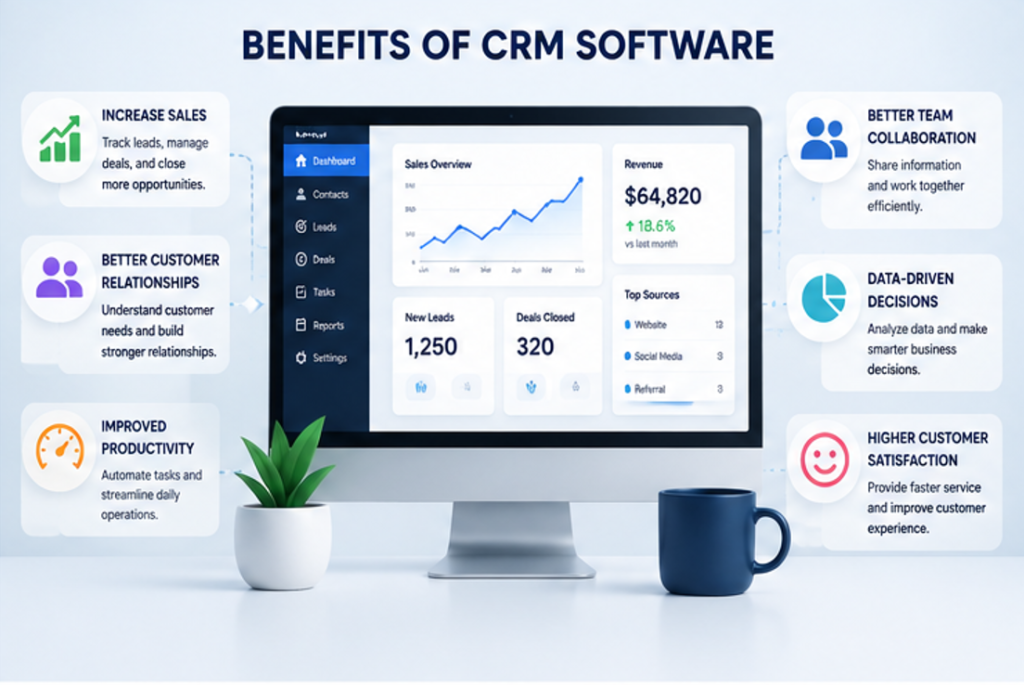
CRM software offers many advantages for businesses of all sizes. It helps improve customer relationships, increases efficiency, and supports business growth.
Better Customer Relationships
CRM software stores every customer interaction in one place. This allows businesses to understand customer needs and provide more personalized service.
Benefits include:
- Better communication
- Personalized customer experiences
- Faster responses
- Stronger customer loyalty
Increased Sales
Sales teams can easily track leads, manage opportunities, and follow up with potential customers.
CRM software helps businesses:
- Close deals faster
- Track the sales pipeline
- Identify high-value customers
- Reduce missed opportunities
Improved Team Collaboration
Different departments often need access to the same customer information.
CRM software allows:
- Sales teams
- Marketing teams
- Customer support teams
- Managers
to work together using one centralized database.
Better Organization
Instead of storing information across multiple spreadsheets or notebooks, Customer Relationship Management software keeps everything organized.
Businesses can quickly find:
- Customer details
- Previous conversations
- Purchase history
- Sales records
- Support tickets
Time Savings Through Automation
Modern CRM systems automate repetitive work.
Examples include:
- Sending follow-up emails
- Creating reminders
- Assigning leads
- Scheduling appointments
- Updating customer records
Automation allows employees to focus on more important tasks.
Better Reporting
CRM software provides detailed reports that help businesses understand performance.
Managers can analyze:
- Monthly sales
- Revenue growth
- Lead conversion rates
- Customer satisfaction
- Marketing campaigns
These reports support better decision-making.
Who Uses CRM Software?
CRM software is useful for almost every industry.
Small Businesses
Small businesses use Customer Relationship Management software to organize customer information, manage sales, and improve customer service without hiring large teams.
Large Enterprises
Large companies manage thousands of customers every day.
CRM software helps them:
- Organize departments
- Improve communication
- Track customer interactions
- Analyze business performance
Sales Teams
Sales representatives use CRM software to:
- Track leads
- Manage prospects
- Schedule follow-ups
- Close deals faster
Marketing Teams
Marketing departments use CRM software to:
- Segment audiences
- Track campaigns
- Measure results
- Improve customer engagement
Customer Support Teams
Support representatives can:
- View customer history
- Resolve issues faster
- Track support requests
- Improve customer satisfaction
Freelancers and Consultants
Freelancers use CRM software to:
- Manage clients
- Track projects
- Schedule meetings
- Store important documents
Popular CRM Software Examples
Many CRM platforms are available today. Each offers different features depending on business needs.
Some of the most popular CRM software includes:
- Salesforce
- HubSpot CRM
- Zoho CRM
- Microsoft Dynamics 365
- Pipedrive
- Freshsales
- Monday CRM
- Insightly
- Copper CRM
- Zendesk Sell
Some platforms are better for small businesses, while others are designed for larger organizations.
How AI Is Changing CRM Software
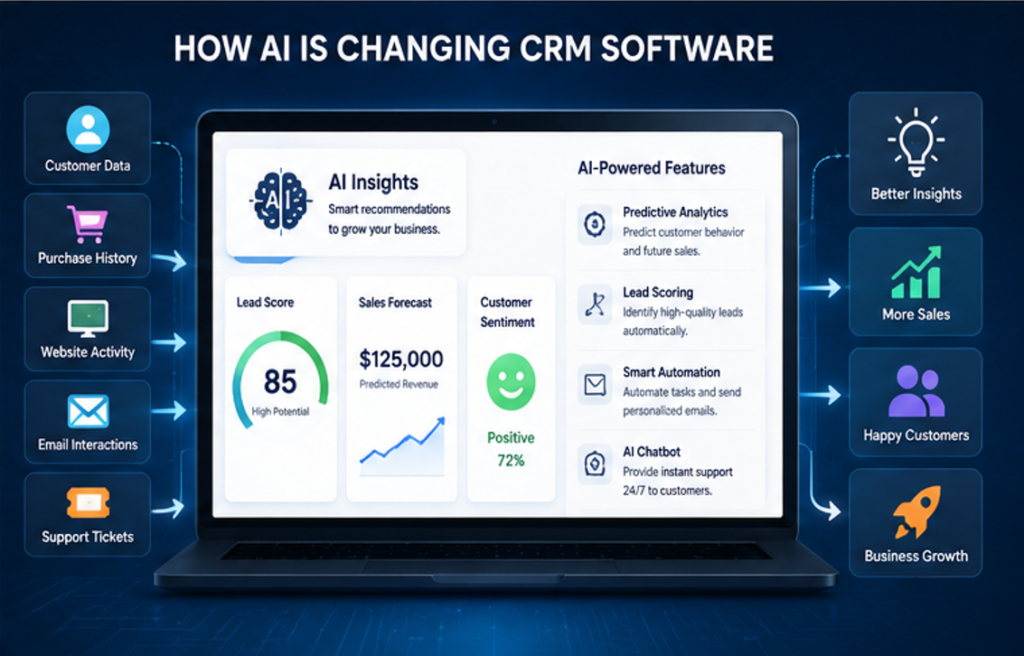
Artificial Intelligence is making CRM software smarter than ever.
Instead of simply storing customer information, AI can now help businesses make better decisions automatically.
AI features include:
- Predicting customer behavior
- Lead scoring
- Sales forecasting
- Email suggestions
- Chatbots
- Meeting summaries
- Customer sentiment analysis
- Workflow automation
AI saves time while helping businesses provide better customer experiences.
How to Choose the Best CRM Software
Choosing the right CRM depends on your business goals.
Consider Ease of Use
A CRM should have a simple interface that employees can learn quickly.
Look for Essential Features
Choose software that offers:
- Contact management
- Sales tracking
- Reporting
- Automation
- Customer support
- Mobile access
Check Integration Options
A good CRM should work with other business tools such as:
- Email platforms
- Marketing software
- Accounting software
- Project management tools
Consider Pricing
Many CRM providers offer free plans for small businesses.
As your business grows, you can upgrade to premium features.
Security Matters
Customer data is valuable.
Choose CRM software that offers:
- Data encryption
- User permissions
- Secure cloud storage
- Regular backups
Common Mistakes to Avoid
Businesses often fail to get the full value of CRM software because of poor implementation.
Avoid these common mistakes:
- Not training employees
- Entering incomplete customer information
- Ignoring automation features
- Using too many custom fields
- Failing to update records
- Choosing software with unnecessary features
Keeping your CRM organized will produce better results.
Read Our Guide On:
Grammarly Alternatives: 10 Best Options
Future of CRM Software
CRM software continues to evolve rapidly.
Future trends include:
- More AI automation
- Voice-controlled CRM
- Predictive analytics
- Personalized customer experiences
- Smarter chatbots
- Advanced reporting
- Better mobile functionality
- Deeper integration with business applications
Businesses that adopt modern CRM solutions will be better prepared to compete in the digital marketplace.
What Is Productivity Software and Its Benefits
Conclusion
CRM software has become one of the most important business tools for managing customer relationships, improving sales, and increasing productivity. It provides a centralized system where businesses can organize customer information, track interactions, automate repetitive tasks, and improve communication across departments.
Whether you run a small business, a growing startup, or a large enterprise, CRM software helps you build stronger customer relationships while making daily operations more efficient.
Modern CRM platforms also include artificial intelligence, automation, cloud technology, and advanced reporting, making them more powerful than ever before. By choosing the right CRM (Customer Relationship Management) and using it effectively, businesses can improve customer satisfaction, increase sales, and support long-term growth.
Frequently Asked Questions
1. What is CRM software?
CRM software (Customer Relationship Management) is a tool that helps businesses manage customer information, sales, communication, and support from one centralized platform.
2. Why is CRM software important?
CRM software helps businesses improve customer relationships, increase sales, organize customer data, automate tasks, and enhance team collaboration.
3. Who should use CRM software?
CRM software is suitable for small businesses, large enterprises, sales teams, marketing departments, customer support teams, freelancers, and consultants.
4. What are the main features of CRM software?
Common features include contact management, lead tracking, sales pipeline management, customer support, workflow automation, reporting, analytics, and cloud storage.
5. What are some popular CRM software examples?
Popular CRM platforms include Salesforce, HubSpot CRM, Zoho CRM, Microsoft Dynamics 365, Pipedrive, Freshsales, Monday CRM, Insightly, Copper CRM, and Zendesk Sell.
6. Is CRM software only for large businesses?
No. Many CRM solutions offer affordable or free plans that are ideal for startups, freelancers, and small businesses.
7. How does AI improve CRM software?
AI enhances CRM (Customer Relationship Management ) by automating routine tasks, predicting customer behavior, scoring leads, generating reports, improving customer service, and helping sales teams work more efficiently.
Read Our Guide On:
How HCS 411GITS Software Built

Mehtab Hassan is the founder and tech writer at Brozly, where he publishes easy-to-understand articles on AI, software, cybersecurity, smartphones, laptops, and emerging technology. His goal is to help readers make smarter tech decisions through detailed reviews, practical tutorials, and beginner-friendly guides. He is passionate about exploring the latest innovations and delivering accurate, up-to-date content that everyone can understand.