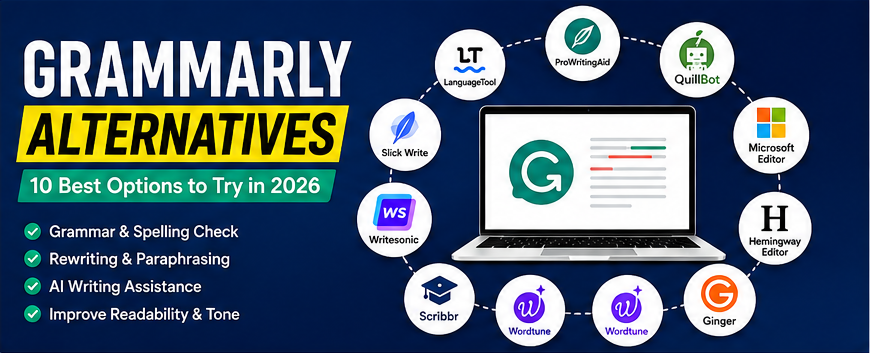
If you are looking for Grammarly alternatives, there are many writing and grammar tools that can help you improve spelling, grammar, readability, tone, and overall writing quality. While Grammarly is one of the most popular writing assistants, it may not be the best choice for everyone.
Some users want a free alternative, while others need better AI writing features, stronger privacy, support for multiple languages, or tools designed specifically for academic, professional, or creative writing.
In this guide, we compare some of the best Grammarly alternatives and explain what each tool is best for.
Read Our Guide On:
What Is Productivity Software and Its Benefits
Key Takeaways
- ProWritingAid is a strong choice for detailed writing analysis and long-form content.
- LanguageTool is one of the best options for multilingual grammar and spelling checks.
- QuillBot is useful for paraphrasing, rewriting, and improving sentence structure.
- Microsoft Editor is a simple option for users who already use Microsoft products.
- Hemingway Editor is excellent for improving readability and simplifying complicated sentences.
- Ginger provides grammar correction and rewriting features for everyday writing.
- Wordtune focuses heavily on rewriting and helping users express ideas more clearly.
- Scribbr is particularly useful for students and academic writers.
- Writesonic offers AI-powered writing features beyond traditional grammar checking.
- The best Grammarly alternative depends on whether you prioritize grammar accuracy, rewriting, readability, AI writing, or academic features.
What Are Grammarly Alternatives?
Grammarly alternatives are writing-assistance tools that provide some or all of the features offered by Grammarly.
Depending on the platform, these tools can help with:
- Grammar and spelling
- Punctuation
- Sentence structure
- Readability
- Tone
- Paraphrasing
- Rewriting
- AI-generated content
- Plagiarism checking
- Academic writing
- Multilingual writing
Some alternatives are designed primarily for proofreading, while others focus on AI writing and content creation.
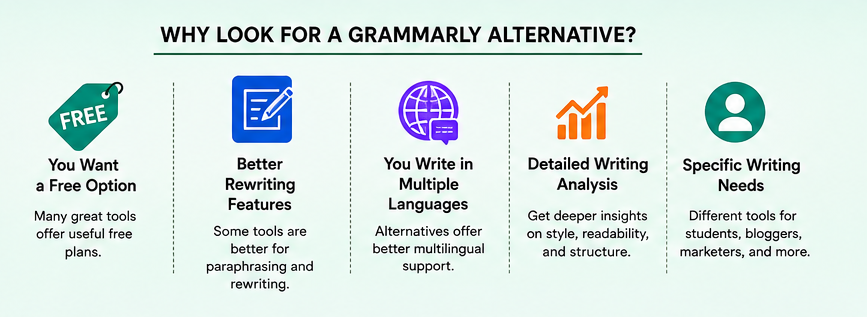
Why Look for a Grammarly Alternative?
Grammarly is a powerful writing assistant, but there are several reasons someone might want to use another tool.
You Want a Free Option
Some users do not want to pay for premium writing features. Several Grammarly alternatives provide useful free plans with different limitations.
You Need Better Rewriting Features
If your main goal is rewriting sentences, changing tone, or paraphrasing content, an alternative focused on rewriting may be more suitable.
You Write in Multiple Languages
Writers who frequently work with languages other than English may prefer a tool with broader multilingual support.
You Want Detailed Writing Analysis
Some platforms provide deeper reports about sentence structure, readability, vocabulary, repetition, and writing style.
You Have Specific Writing Needs
Students, bloggers, marketers, developers, and professional writers may have different requirements. A specialized writing assistant can sometimes be more useful than a general-purpose tool.
10 Best Grammarly Alternatives
Here are some of the best Grammarly alternatives to consider in 2026.
1. ProWritingAid
Best for: Long-form writers and detailed writing analysis
ProWritingAid is one of the strongest alternatives to Grammarly for writers who want more detailed feedback.
It can analyze writing style, readability, sentence structure, repeated words, clichés, and other common writing issues.
Its reports can be particularly useful for bloggers, authors, and people working on long-form content.
Key features:
- Grammar checking
- Style suggestions
- Readability analysis
- Repeated-word detection
- Sentence analysis
- Writing reports
- AI-powered writing assistance
Pros:
- Detailed writing reports
- Useful for long-form writing
- Strong style-analysis features
- Helpful for authors and bloggers
Cons:
- Some features require a paid plan
- The number of reports can feel overwhelming for beginners
Best alternative for: Writers who want deeper analysis rather than basic grammar correction.
2. LanguageTool
Best for: Multilingual writing
LanguageTool is a popular grammar and spelling checker that supports multiple languages.
It can detect grammar, punctuation, spelling, and style problems while you write.
One of its biggest advantages is its multilingual functionality, making it useful for people who work with different languages.
Key features:
- Grammar checking
- Spelling correction
- Punctuation suggestions
- Style improvements
- Multilingual support
- Browser extensions
- Desktop integrations
Pros:
- Supports many languages
- Easy to use
- Free version available
- Useful browser extensions
Cons:
- Some advanced suggestions require premium access
- AI writing features are not its primary focus
Best alternative for: Users who need grammar checking across multiple languages.
3. QuillBot
Best for: Paraphrasing and rewriting
QuillBot is particularly well known for its paraphrasing capabilities.
Instead of simply correcting mistakes, it can help rewrite sentences while maintaining their original meaning.
For example, if a sentence sounds repetitive or unnatural, QuillBot can provide alternative versions.
Key features:
- Paraphrasing
- Grammar checking
- Summarization
- Citation tools
- Translation
- AI writing assistance
Pros:
- Excellent paraphrasing features
- Simple interface
- Useful for students and content creators
- Multiple writing modes
Cons:
- Free version has limitations
- Some advanced features require a subscription
Best alternative for: Users who want rewriting and paraphrasing more than traditional proofreading.
4. Microsoft Editor
Best for: Microsoft 365 users
Microsoft Editor is a convenient writing assistant for people already using Microsoft’s ecosystem.
It provides grammar, spelling, clarity, and writing suggestions across supported Microsoft products and services.
If you regularly work in Microsoft Word, Microsoft Editor can be a convenient option because it fits naturally into the Microsoft environment.
Key features:
- Grammar checking
- Spelling correction
- Clarity suggestions
- Writing assistance
- Microsoft 365 integration
Pros:
- Easy to use
- Works well with Microsoft products
- Convenient for Word users
- Clean interface
Cons:
- Fewer advanced writing-analysis features than some competitors
- Best experience is tied closely to the Microsoft ecosystem
Best alternative for: Microsoft Word and Microsoft 365 users.
5. Hemingway Editor
Best for: Improving readability
Hemingway Editor takes a different approach from traditional grammar checkers.
Its primary goal is to make your writing easier to read.
The tool highlights complicated sentences, excessive adverbs, passive voice, and other issues that can make content harder to understand.
Key features:
- Readability analysis
- Sentence complexity detection
- Passive voice identification
- Adverb detection
- Readability scoring
Pros:
- Excellent for simplifying writing
- Easy to understand
- Useful for bloggers and web writers
- Helps create concise content
Cons:
- Not a complete replacement for every Grammarly feature
- Focuses more on readability than comprehensive grammar assistance
Best alternative for: Bloggers, marketers, and writers who want clear and easy-to-read content.
6. Ginger
Best for: Everyday grammar correction
Ginger is another established writing assistant that can identify grammar, spelling, and punctuation mistakes.
It also offers sentence-rewriting functionality and other tools designed to help users improve their writing.
Key features:
- Grammar checking
- Spelling correction
- Sentence rewriting
- Punctuation suggestions
- Translation features
Pros:
- Easy to use
- Useful for everyday writing
- Rewriting tools
- Available across different platforms
Cons:
- Some features require a premium plan
- Interface may feel less comprehensive than some newer AI writing tools
Best alternative for: Everyday grammar and sentence correction.
7. Wordtune
Best for: Sentence rewriting and tone adjustment
Wordtune is designed to help users express their ideas more effectively.
Rather than only identifying errors, it can suggest alternative ways to write a sentence.
This makes it useful when your sentence is technically correct but does not sound natural or professional.
Key features:
- Sentence rewriting
- Paraphrasing
- Tone adjustment
- Text expansion
- Text shortening
- AI writing assistance
Pros:
- Strong rewriting capabilities
- Useful for professional communication
- Helps improve sentence flow
- Simple interface
Cons:
- Free usage is limited
- Primarily focused on rewriting rather than comprehensive proofreading
Best alternative for: Professionals who frequently rewrite emails, documents, and other content.
8. Scribbr
Best for: Students and academic writing
Scribbr is particularly popular among students and academic writers.
Its tools focus on proofreading, plagiarism checking, citations, and academic writing support.
For students working on essays, dissertations, and research papers, these specialized features can make Scribbr a useful Grammarly alternative.
Key features:
- Grammar checking
- Proofreading
- Plagiarism checking
- Citation tools
- Academic writing support
Pros:
- Designed for academic users
- Strong citation resources
- Helpful for research writing
- Useful proofreading tools
Cons:
- Some services are paid
- Less focused on general-purpose AI writing
Best alternative for: Students and academic writers.
9. Writesonic
Best for: AI-powered content creation
Writesonic goes beyond traditional grammar correction.
It provides AI tools for creating and improving different types of content, including articles, marketing copy, and other business content.
If you are looking for a Grammarly alternative because you want broader AI writing functionality, Writesonic may be worth considering.
Key features:
- AI writing
- Content generation
- Rewriting
- Editing
- Marketing content
- AI-powered writing tools
Pros:
- Broad AI writing functionality
- Useful for marketers and content creators
- Can generate and improve content
Cons:
- More complex than a basic grammar checker
- Some features require paid access
Best alternative for: Content creators and marketers who want AI writing capabilities.
10. Slick Write
Best for: Free writing analysis
Slick Write is a straightforward online writing tool that checks grammar and provides information about your writing style.
It can analyze sentence length, word usage, adverbs, passive voice, and other aspects of writing.
Key features:
- Grammar checking
- Style analysis
- Sentence analysis
- Word statistics
- Readability information
Pros:
- Free to use
- Simple interface
- Useful style analysis
- No complicated setup
Cons:
- Interface looks dated
- Fewer modern AI features
- Not as feature-rich as premium competitors
Best alternative for: Users looking for a simple and free writing-analysis tool.
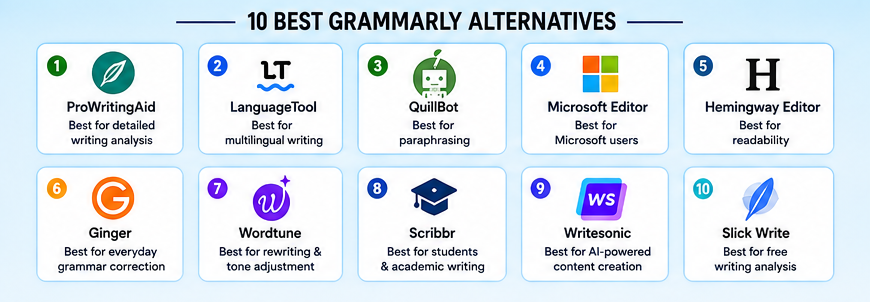
Grammarly Alternatives Compared
| Tool | Best For | Grammar | Rewriting | Readability | AI Writing |
|---|---|---|---|---|---|
| ProWritingAid | Long-form writing | Excellent | Good | Excellent | Good |
| LanguageTool | Multilingual writing | Excellent | Good | Good | Good |
| QuillBot | Paraphrasing | Excellent | Excellent | Good | Excellent |
| Microsoft Editor | Microsoft users | Excellent | Good | Good | Good |
| Hemingway Editor | Readability | Good | Limited | Excellent | Limited |
| Ginger | Everyday writing | Excellent | Good | Good | Good |
| Wordtune | Rewriting | Good | Excellent | Good | Excellent |
| Scribbr | Academic writing | Excellent | Good | Good | Good |
| Writesonic | AI content | Good | Excellent | Good | Excellent |
| Slick Write | Free analysis | Good | Limited | Good | Limited |
Which Grammarly Alternative Is Best for You?
The best Grammarly alternative depends on what you want to accomplish.
Best Grammarly Alternative for Bloggers
ProWritingAid is a strong choice for bloggers who create long-form articles.
It provides detailed feedback that can help improve readability, sentence structure, and writing style.
Best Free Grammarly Alternative
LanguageTool and Slick Write are good options if you want useful writing assistance without immediately paying for a premium subscription.
However, free features and usage limits can change over time.
Best Grammarly Alternative for Paraphrasing
QuillBot is one of the strongest choices if rewriting and paraphrasing are your main priorities.
Best Grammarly Alternative for Students
Scribbr is worth considering for academic writing because it offers tools specifically designed for students and researchers.
Best Grammarly Alternative for Readability
Hemingway Editor is an excellent choice when your priority is making writing simpler and easier to understand.
Best Grammarly Alternative for AI Writing
Writesonic is more focused on AI-powered content creation than traditional grammar-checking platforms.
Best Grammarly Alternative for Microsoft Word
Microsoft Editor is a natural choice if most of your writing takes place inside Microsoft products.
How to Choose the Right Grammarly Alternative
Before choosing a writing assistant, consider these factors.
1. Grammar Accuracy
A good Grammarly alternative should identify common grammar, spelling, and punctuation problems.
2. Rewriting Features
If you regularly rewrite sentences, look for a tool with paraphrasing and sentence-rewriting features.
3. Readability
For blogs and websites, readability is especially important. A tool that identifies complex sentences can help you create content that is easier to understand.
4. Language Support
If you write in multiple languages, check the languages supported before choosing a platform.
5. AI Features
AI writing assistants can help generate, expand, shorten, summarize, and rewrite content.
However, AI-generated content should always be reviewed for accuracy, originality, and context.
6. Price
Compare free and premium plans carefully. A tool may offer many features, but you may only need a few of them.
7. Integrations
Browser extensions, Microsoft Word integrations, Google Docs support, desktop applications, and mobile apps can make a writing assistant much more convenient.
Are Grammarly Alternatives Better Than Grammarly?
Not necessarily.
The better tool depends on your needs.
Grammarly remains a strong all-purpose writing assistant, but competitors can outperform it in specific areas.
For example:
- ProWritingAid can be better for detailed writing analysis.
- LanguageTool can be better for multilingual users.
- QuillBot can be better for paraphrasing.
- Hemingway Editor can be better for readability.
- Scribbr can be better for academic writing.
- Writesonic can be better for broader AI content creation.
Therefore, instead of asking which tool is universally better, consider which tool fits your particular writing workflow.
Can You Use AI Writing Tools Instead of Grammarly?
Yes, but they serve slightly different purposes.
Traditional grammar assistants are primarily designed to identify and correct writing problems. AI writing tools can go further by rewriting, expanding, summarizing, or generating text.
For the best results, many writers use AI tools alongside grammar and proofreading software.
For example, you could use an AI tool to create a first draft and then use a grammar checker to identify errors and improve readability.
Read Our Guide On:
What Is CRM Software? Complete Guide (2026)
Frequently Asked Questions
What is the best Grammarly alternative?
There is no single best alternative for everyone. ProWritingAid, LanguageTool, QuillBot, Hemingway Editor, and Microsoft Editor are among the strongest options depending on your needs.
What is the best free alternative to Grammarly?
LanguageTool and Slick Write are good free options. Their available features and limitations can vary, so check the current free plan before choosing one.
Is QuillBot better than Grammarly?
QuillBot can be better for paraphrasing and rewriting, while Grammarly is generally better suited to broad writing assistance. The better option depends on your requirements.
Is ProWritingAid better than Grammarly?
ProWritingAid can be a better choice for writers who want detailed analysis of writing style, readability, sentence structure, and repeated words.
Which Grammarly alternative is best for students?
Scribbr is a strong option for students because it focuses on academic writing, proofreading, plagiarism checking, and citations.
Which Grammarly alternative is best for paraphrasing?
QuillBot is one of the most popular options for paraphrasing because it provides multiple rewriting modes and sentence alternatives.
Can I use Grammarly alternatives for SEO content?
Yes. Tools such as ProWritingAid, Hemingway Editor, LanguageTool, and AI writing platforms can help improve readability and content quality.
However, grammar software alone does not guarantee good SEO. Effective SEO content also requires search intent analysis, useful information, topical coverage, internal linking, accurate information, and strong content structure.
Are Grammarly alternatives safe to use?
Privacy policies vary between services. Before uploading confidential documents, review the provider’s privacy policy and understand how your text is processed and stored.
Read Our Guide On:
Why GenBoostermark Software Is So Popular in 2026
Conclusion
There are many excellent Grammarly alternatives available, and the right choice depends on your writing goals.
If you want detailed writing analysis, ProWritingAid is a strong option. For multilingual grammar checking, LanguageTool is worth considering. If paraphrasing is your main requirement, QuillBot is a popular choice. Hemingway Editor is excellent for readability, while Scribbr is particularly useful for academic writing.
For AI-powered content creation, tools such as Writesonic can offer capabilities that go beyond traditional grammar checking.
Ultimately, you do not need to choose a tool simply because it is the most popular. Choose the Grammarly alternative that fits your writing style, budget, language requirements, and workflow.
Read Our Guide On:
How HCS 411GITS Software Built

Mehtab Hassan is the founder and tech writer at Brozly, where he publishes easy-to-understand articles on AI, software, cybersecurity, smartphones, laptops, and emerging technology. His goal is to help readers make smarter tech decisions through detailed reviews, practical tutorials, and beginner-friendly guides. He is passionate about exploring the latest innovations and delivering accurate, up-to-date content that everyone can understand.