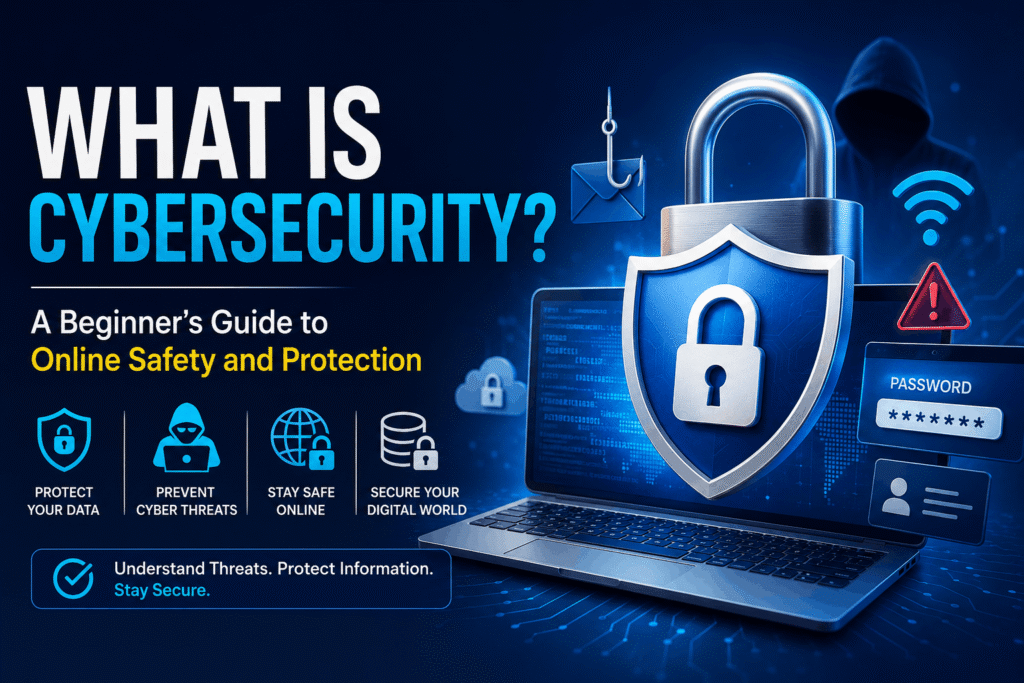
Cyber threats are growing every year, but most security incidents happen because of simple mistakes that can be prevented. A strong Cyber Hygiene Checklist helps individuals and businesses reduce the risk of hacking, identity theft, ransomware, phishing, and data breaches.
Whether you use a smartphone, laptop, or desktop computer, following good cyber hygiene practices keeps your personal information, financial accounts, and digital identity secure.
This guide explains what cyber hygiene is, why it matters, and provides a complete cyber hygiene checklist you can follow today.
What Is Cyber Hygiene?
Cyber hygiene refers to the routine practices that help keep your devices, online accounts, software, and data secure. Just as brushing your teeth prevents dental problems, regular cybersecurity habits prevent digital threats.
Cyber hygiene includes activities like:
- Updating software
- Creating strong passwords
- Backing up important files
- Using antivirus software
- Recognizing phishing emails
- Enabling multi-factor authentication (MFA)
Practicing these habits consistently greatly reduces your chances of becoming a victim of cybercrime.
Read Our Guide On:
Quick Answer:
A Cyber Hygiene Checklist is a list of cybersecurity best practices that helps protect your devices, accounts, networks, and personal information from cyber threats.
It typically includes:
- Strong passwords
- MFA (Multi-Factor Authentication)
- Software updates
- Regular backups
- Antivirus protection
- Safe internet browsing
- Secure Wi-Fi
- Email security
- Data protection
- Privacy settings
Following this checklist regularly helps maintain long-term digital security.
Why Cyber Hygiene Matters
Cybercriminals constantly look for easy targets. Weak passwords, outdated software, and careless online behavior make attacks much easier.
Good cyber hygiene helps:
- Protect sensitive information
- Prevent identity theft
- Reduce malware infections
- Stop ransomware attacks
- Secure online banking
- Protect business data
- Improve privacy
- Increase productivity
Even small improvements can significantly strengthen your cybersecurity. Learn Cyber Framework.
Complete Cyber Hygiene Checklist
1. Use Strong and Unique Passwords
Passwords remain the first line of defense.
Create passwords that:
- Are at least 14–16 characters long
- Include uppercase and lowercase letters
- Include numbers
- Include symbols
- Avoid dictionary words
- Avoid personal information
Example:
Strong Password:
T9!MehtabHere#Sky2026$
Avoid:
- 123456
- password
- qwerty
- your birthday
- pet names
Use a different password for every account.
2. Use a Password Manager
Remembering dozens of passwords is difficult.
Password managers help you:
- Generate secure passwords
- Store passwords safely
- Auto-fill login credentials
- Detect weak passwords
Popular password managers include:
- Bitwarden
- 1Password
- Dashlane
- NordPass
- KeePass
3. Enable Multi-Factor Authentication (MFA)
Even if someone steals your password, MFA provides another layer of protection.
Common MFA methods:
- Authentication apps
- Hardware security keys
- Biometric authentication
- SMS codes (better than no MFA)
Prioritize enabling MFA for:
- Banking
- Social media
- Cloud storage
- Shopping accounts
- Work accounts
4. Keep Software Updated
Outdated software often contains security vulnerabilities.
Update regularly:
- Windows
- macOS
- Android
- iPhone
- Browsers
- Office software
- Antivirus
- Drivers
- Apps
Enable automatic updates whenever possible.
5. Install Reliable Antivirus Software
Modern antivirus software protects against:
- Malware
- Ransomware
- Spyware
- Trojans
- Worms
- Dangerous downloads
Run scheduled scans weekly.
6. Keep Your Operating System Updated
Operating system updates include important security patches.
Always install:
- Windows Updates
- macOS Updates
- Linux Security Updates
- Android Security Updates
- iOS Security Updates
Ignoring updates increases your exposure to cyberattacks.
7. Backup Important Data
Backups protect you from:
- Ransomware
- Hardware failure
- Accidental deletion
- Theft
- Natural disasters
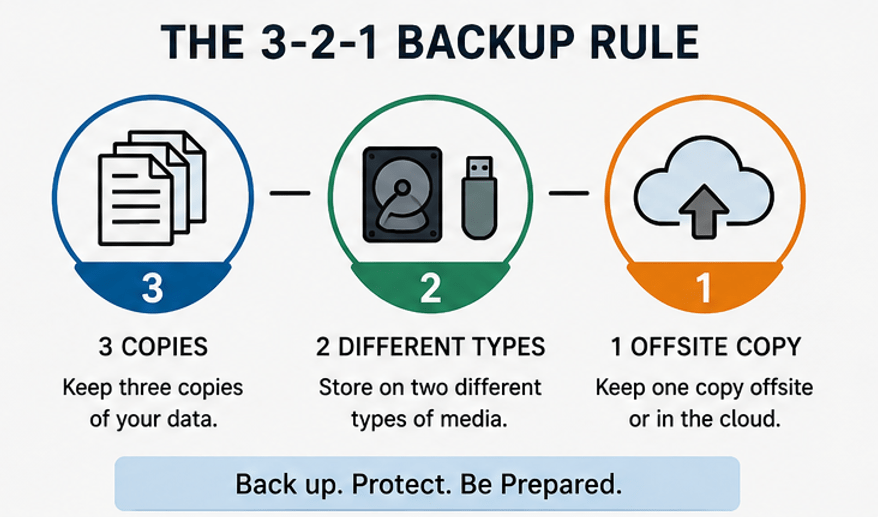
Follow the 3-2-1 Backup Rule:
- 3 copies of data
- 2 different storage types
- 1 offsite or cloud backup
Good backup options include:
- External hard drives
- NAS storage
- Cloud storage
8. Beware of Phishing Emails
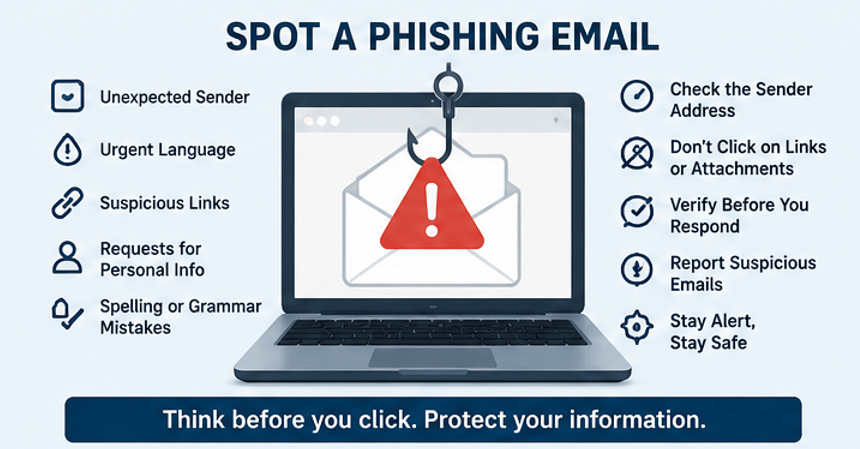
Phishing remains one of the biggest cybersecurity threats.
Warning signs include:
- Urgent messages
- Unexpected attachments
- Misspelled domain names
- Requests for passwords
- Fake invoices
- Poor grammar
Always verify before clicking links.
9. Don’t Reuse Passwords
Password reuse is dangerous.
If one website is breached, attackers often test the same password on:
- Banking
- Shopping sites
- Social media
- Cloud storage
Unique passwords stop this attack.
10. Secure Your Home Wi-Fi
Protect your wireless network by:
- Using WPA3 encryption
- Creating a strong Wi-Fi password
- Changing the default router password
- Updating router firmware
- Disabling WPS
- Using a guest network for visitors
11. Lock Your Devices
Always secure your devices using:
- PIN
- Password
- Fingerprint
- Face recognition
Enable automatic screen lock after a few minutes of inactivity.
12. Review App Permissions
Many apps request unnecessary access.
Check permissions for:
- Camera
- Microphone
- Contacts
- Photos
- Location
- Storage
Remove permissions that aren’t needed.
13. Download Software Only from Trusted Sources
Avoid downloading software from unofficial websites.
Use:
- Official websites
- Trusted app stores
- Verified publishers
Pirated software often contains malware.
14. Use Secure Browsing Habits
Safe browsing includes:
- Checking HTTPS
- Avoiding suspicious downloads
- Blocking pop-ups
- Avoiding unknown websites
- Using updated browsers
Never ignore browser security warnings.
15. Protect Your Personal Information
Avoid sharing sensitive information publicly.
Examples include:
- Home address
- Phone number
- Financial information
- National ID numbers
- Passwords
- Travel plans
Cybercriminals collect small details for identity theft.
16. Monitor Your Accounts Regularly
Review:
- Bank accounts
- Credit cards
- Email logins
- Social media activity
- Cloud storage
- Online shopping accounts
Report suspicious activity immediately.
17. Remove Unused Accounts
Old accounts increase your attack surface.
Delete accounts you no longer use.
Benefits include:
- Better privacy
- Reduced risk
- Fewer passwords
- Less personal data online
18. Encrypt Sensitive Data
Encryption protects information even if a device is stolen.
Encrypt:
- Laptops
- External drives
- USB devices
- Smartphones
Many modern operating systems include built-in encryption tools.
19. Be Careful on Public Wi-Fi
Public Wi-Fi can expose your data.
When using public networks:
- Avoid online banking
- Don’t access confidential files
- Use HTTPS websites
- Turn off file sharing
- Use a trusted VPN when handling sensitive information
20. Learn Basic Cybersecurity Awareness
Technology changes quickly.
Stay informed by learning about:
- Phishing
- AI scams
- Social engineering
- Ransomware
- Password attacks
- Data breaches
Knowledge is one of the strongest security defenses.
Read Our Guide On:
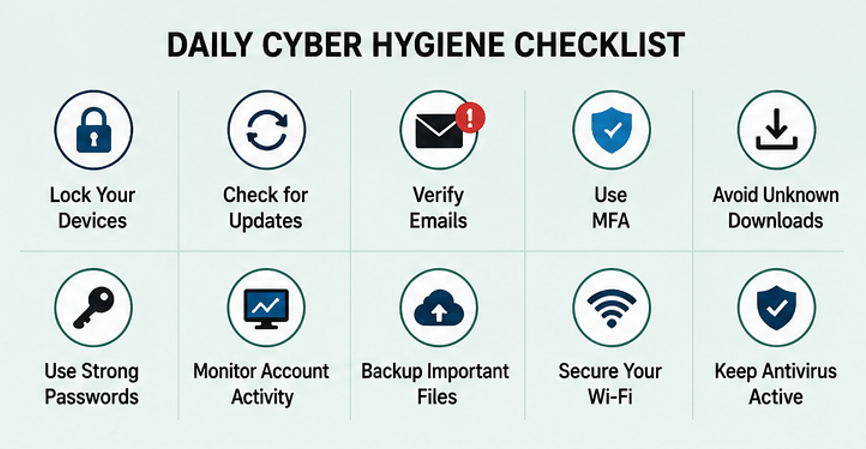
Daily Cyber Hygiene Checklist
Use this quick daily checklist:
- ✓ Lock your devices
- ✓ Check for software updates
- ✓ Verify suspicious emails
- ✓ Use MFA
- ✓ Avoid unknown downloads
- ✓ Use strong passwords
- ✓ Monitor account activity
- ✓ Backup important files
- ✓ Secure your Wi-Fi
- ✓ Keep antivirus active
Weekly Cyber Hygiene Checklist
Once a week:
- Run antivirus scans
- Review login history
- Delete unnecessary files
- Check backup status
- Update apps
- Remove unused browser extensions
Monthly Cyber Hygiene Checklist
Each month:
- Change critical passwords if needed
- Review account recovery options
- Audit app permissions
- Check router firmware
- Review cloud storage security
- Remove inactive accounts
Common Cyber Hygiene Mistakes
Avoid these common errors:
- Reusing passwords
- Ignoring updates
- Clicking unknown links
- Downloading pirated software
- Sharing passwords
- Disabling antivirus
- Using public Wi-Fi carelessly
- Ignoring backup practices
- Leaving devices unlocked
- Using weak security questions
Benefits of Following a Cyber Hygiene Checklist
Good cyber hygiene provides many advantages:
- Better online privacy
- Lower risk of hacking
- Stronger identity protection
- Reduced malware infections
- Improved device performance
- Safer online shopping
- More secure banking
- Greater confidence online
Cyber Hygiene Best Practices for Businesses
Organizations should also:
- Train employees regularly
- Enforce strong password policies
- Require MFA
- Encrypt sensitive business data
- Maintain secure backups
- Limit user access based on job roles
- Monitor networks continuously
- Develop an incident response plan
- Perform regular security audits
Consistent policies help reduce human error and improve overall security.
Frequently Asked Questions (FAQ)
What is cyber hygiene?
Cyber hygiene is the routine practice of maintaining the security of devices, software, networks, and online accounts through regular preventive actions such as updates, strong passwords, and backups.
Why is cyber hygiene important?
It helps protect against cyberattacks, identity theft, malware, phishing, ransomware, and data breaches while improving your overall online safety.
How often should I update my software?
Enable automatic updates whenever possible. If automatic updates aren’t available, check for updates at least once a week.
What is the most important item on a cyber hygiene checklist?
There isn’t a single most important step, but using strong unique passwords with multi-factor authentication provides one of the biggest security improvements.
Does antivirus software guarantee complete protection?
No. Antivirus software is only one layer of security. Safe browsing habits, software updates, backups, and MFA are equally important.
Is public Wi-Fi safe?
Public Wi-Fi can be risky. Avoid accessing sensitive accounts on unsecured networks, and use a trusted VPN when handling confidential information.
How often should I back up my files?
Important files should be backed up regularly. Daily or weekly backups are ideal for active data, following the 3-2-1 backup rule whenever possible.
Conclusion
A well-maintained Cyber Hygiene Checklist is one of the simplest and most effective ways to stay secure online. By adopting habits such as using strong passwords, enabling multi-factor authentication, keeping software updated, backing up your data, and staying alert to phishing attempts, you can significantly reduce your risk of cyber threats.
Cybersecurity isn’t a one-time task—it’s an ongoing process. Make cyber hygiene part of your daily routine, review your security practices regularly, and encourage family members or colleagues to do the same. Small, consistent actions today can prevent major security incidents tomorrow and help you maintain a safer digital life.
Read Our Guide On:
How to Get Into Cyber Security

Mehtab Hassan is the founder and tech writer at Brozly, where he publishes easy-to-understand articles on AI, software, cybersecurity, smartphones, laptops, and emerging technology. His goal is to help readers make smarter tech decisions through detailed reviews, practical tutorials, and beginner-friendly guides. He is passionate about exploring the latest innovations and delivering accurate, up-to-date content that everyone can understand.