Choosing between an Android phone and an iPhone can be difficult, especially for students. Both platforms offer excellent features, but the right choice depends on your budget, study needs, apps, and long-term goals.
Some students need an affordable phone for online classes and note-taking, while others want a powerful device for photography, video editing, gaming, or productivity. Understanding the differences between Android and iPhone can help you make the best decision.
In this guide, we’ll compare Android vs iPhone for students across important categories like price, performance, battery life, software updates, learning apps, security, and overall value.
Read Our Guide On:
What Is the Role of SoCs in Smartphones?
Why Choosing the Right Phone Matters for Students
A smartphone is more than just a communication device. Students use it every day for:
- Online classes
- Research
- Note-taking
- Video lectures
- Assignments
- Cloud storage
- Group projects
- Educational apps
- Entertainment
Choosing the right phone can improve productivity and make studying easier.
Android vs iPhone: Quick Comparison
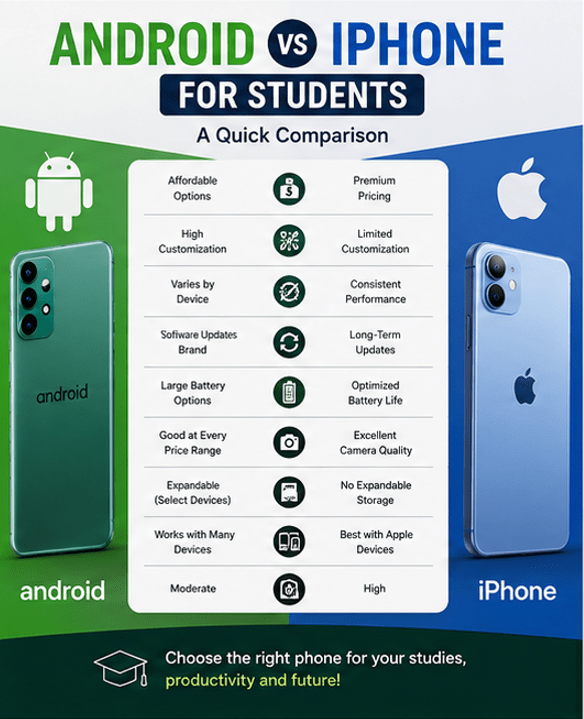
| Feature | Android | iPhone |
|---|---|---|
| Price | Budget to premium | Mostly premium |
| Customization | Excellent | Limited |
| Software Updates | Varies by brand | Long-term updates |
| Battery Life | Excellent on many models | Excellent optimization |
| Camera | Great at every price | Consistently excellent |
| App Store | Google Play Store | Apple App Store |
| File Management | Flexible | More restricted |
| Security | Very good | Excellent |
| Resale Value | Moderate | High |
| Best For | Budget-conscious students | Students invested in Apple ecosystem |
Price and Affordability
Price is often the biggest factor for students.
Android
Android phones are available in almost every price range.
You can find:
- Budget phones
- Mid-range devices
- Premium flagship phones
This flexibility makes Android ideal for students with limited budgets.
Advantages include:
- More affordable options
- Better hardware at lower prices
- Frequent discounts
iPhone
Apple focuses mainly on premium smartphones.
Although older iPhone models become cheaper over time, they are generally more expensive than Android phones with similar specifications.
Advantages include:
- High build quality
- Strong resale value
- Long software support
If your budget is limited, Android usually offers better value.
Performance
Performance affects multitasking, gaming, and daily use.
Android Performance
Performance depends on the manufacturer and processor.
Premium Android phones perform exceptionally well.
Budget Android devices may slow down after several years.
iPhone Performance
Apple designs both the hardware and software.
This allows:
- Smooth multitasking
- Fast app loading
- Excellent gaming
- Reliable long-term performance
Even older iPhones often remain responsive.
Battery Life
Students spend long hours on campus and need reliable battery life.
Android
Battery capacity is often larger.
Many Android phones include:
- 5000mAh batteries
- Fast charging
- Reverse charging
Some models easily last an entire day.
iPhone
Although batteries are sometimes smaller, iPhones are highly optimized.
Benefits include:
- Efficient power management
- Consistent battery performance
- Reliable standby time
Battery life depends on the model.
Software Updates
Keeping a phone updated is important for security and performance.
Android
Software support varies by manufacturer.
Some brands provide:
- 2 years of updates
- 4 years of updates
- 7 years on select flagship devices
Budget phones usually receive fewer updates.
iPhone
Apple provides updates for many years.
Older iPhones continue receiving:
- Security patches
- New iOS features
- Performance improvements
Students planning to keep one phone for several years may appreciate Apple’s long-term support.
Learning and Educational Apps
Both Android and iPhone support thousands of educational apps.
Popular student apps include:
- Google Classroom
- Microsoft Teams
- Zoom
- Google Docs
- Microsoft Word
- Notion
- Evernote
- Khan Academy
- Coursera
- Duolingo
Most educational apps work equally well on both platforms.
Note-Taking
Students frequently take notes during lectures.
Android
Android supports:
- Google Keep
- Microsoft OneNote
- Samsung Notes (Samsung devices)
- Stylus support on selected phones
iPhone
Apple users can enjoy:
- Apple Notes
- GoodNotes
- Notability
- OneNote
Students with an iPad benefit from excellent note synchronization.
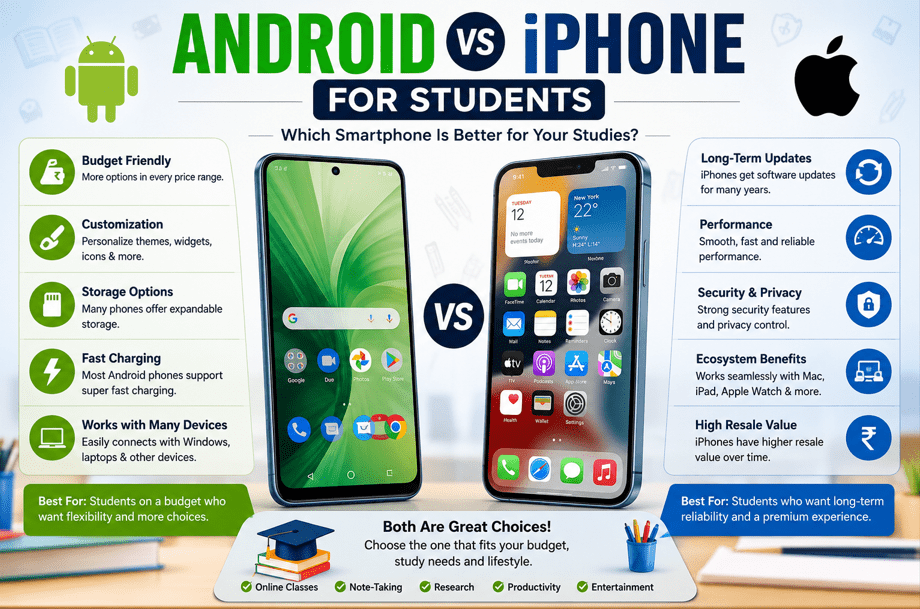
Productivity Features
Students often multitask between several apps.
Android
Android offers:
- Split-screen mode
- Floating windows
- Better file management
- Custom launchers
- Home screen widgets
These features improve productivity.
iPhone
Apple focuses on simplicity.
Students benefit from:
- Smooth multitasking
- Focus Modes
- AirDrop
- Handoff
- Continuity features
These work especially well with Macs and iPads.
File Management
Students regularly share assignments and documents.
Android
Android provides:
- Easy USB transfers
- Expandable storage on some models
- Better access to internal files
- Flexible downloads
iPhone
iPhone includes the Files app but remains more controlled.
Students using cloud storage like iCloud, Google Drive, or OneDrive usually won’t notice major limitations.
Camera Quality
Many students create presentations, scan documents, or record lectures.
Android
Camera quality varies greatly.
Premium Android phones compete with the best smartphones.
Budget models deliver acceptable results.
iPhone
Apple delivers consistent camera quality.
Benefits include:
- Reliable photos
- Excellent video recording
- Strong low-light performance
Content creators may prefer iPhone.
Security and Privacy
Protecting personal information is important.
Android
Modern Android phones offer:
- Fingerprint unlock
- Face unlock
- Google Play Protect
- App permissions
iPhone
Apple emphasizes privacy.
Features include:
- Face ID
- Strong app permissions
- Privacy reports
- Secure ecosystem
Both platforms are secure when kept updated.
Storage Options
Students store:
- PDFs
- Lecture recordings
- Photos
- Videos
- Assignments
Android often offers:
- More storage choices
- Expandable storage on some phones
iPhone offers fixed storage.
Choose enough storage before purchasing.
Gaming
Many students also use phones for entertainment.
Both Android and iPhone support popular games including:
- PUBG Mobile
- Call of Duty Mobile
- Free Fire
- Genshin Impact
- Minecraft
Premium devices from both platforms deliver excellent gaming performance.
Battery Charging Speed
Android phones often include:
- 45W charging
- 65W charging
- 100W+ charging on some models
Many iPhones charge more slowly but offer reliable battery health management.
Customization
Android is the clear winner.
Students can customize:
- Icons
- Themes
- Widgets
- Launchers
- Fonts
- Default apps
iPhone allows some customization but remains more limited.
Integration with Other Devices
Android
Works well with:
- Windows laptops
- Google Workspace
- Chromebooks
iPhone
Works best with:
- MacBook
- iPad
- Apple Watch
- AirPods
Students already using Apple devices may prefer staying within the ecosystem.
Durability
Both platforms offer durable premium models.
Using:
- Screen protectors
- Protective cases
helps extend the life of any phone.
Long-Term Value
Android
Pros:
- Lower purchase price
- Better hardware value
- Wide selection
Cons:
- Lower resale value
- Software support varies
iPhone
Pros:
- Longer updates
- Higher resale value
- Excellent longevity
Cons:
- Higher initial cost
Which Phone Is Best for Different Types of Students?
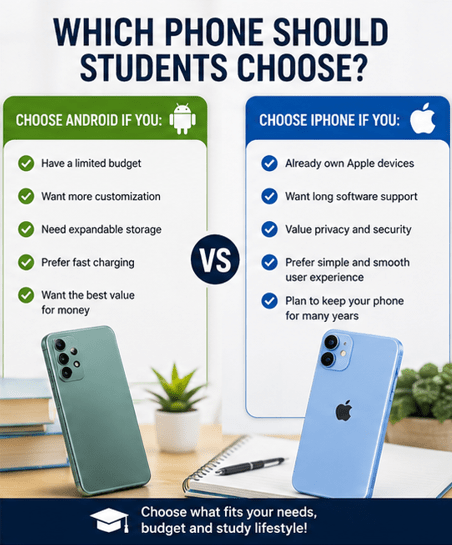
Choose Android If You:
- Have a limited budget
- Want more customization
- Need expandable storage
- Prefer fast charging
- Want the best value for money
Choose iPhone If You:
- Already own Apple devices
- Want long software support
- Value privacy
- Prefer simple user experience
- Plan to keep your phone for many years
Pros and Cons
Android Pros
- Affordable options
- Excellent customization
- Wide variety of devices
- Fast charging
- Flexible file management
Android Cons
- Software updates vary
- Performance depends on the manufacturer
- Lower resale value
iPhone Pros
- Long software support
- Excellent performance
- Strong security
- High resale value
- Great ecosystem
iPhone Cons
- Higher price
- Limited customization
- No expandable storage
- Accessories can be expensive
Tips for Students Before Buying a Smartphone
Before purchasing, consider:
- Your budget
- Storage needs
- Battery life
- Software update policy
- Camera quality
- Study requirements
- Compatibility with your laptop
- Warranty and after-sales service
Buying based on your actual needs is better than choosing the most expensive model.
How to Speed Up an Android Phone: 20+ Easy Tips
Frequently Asked Questions
Is Android or iPhone better for students?
Both are excellent choices. Android is better for affordability and customization, while iPhone offers longer software support, strong performance, and seamless integration with other Apple devices.
Which phone is more affordable for students?
Android phones are generally more affordable and offer a wider range of budget and mid-range options.
Is an iPhone worth buying for college students?
Yes, especially if you plan to use it for several years or already own Apple products like a MacBook or iPad.
Which phone has better battery life?
Battery life depends on the specific model. Many Android phones have larger batteries, while iPhones are known for efficient battery optimization.
Can students use the same educational apps on both platforms?
Yes. Popular apps such as Google Classroom, Zoom, Microsoft Teams, Notion, Google Docs, and Microsoft Office are available on both Android and iPhone.
Which phone is better for online classes?
Both platforms work well for online learning. Choose based on your budget, performance requirements, and preferred ecosystem.
Which phone lasts longer?
iPhones generally receive software updates for more years, but premium Android phones can also provide excellent long-term performance with proper care.
Conclusion
When comparing Android vs iPhone for students, there is no single winner. The best choice depends on your budget, study habits, and personal preferences.
Android is an excellent option for students who want flexibility, customization, fast charging, and affordable prices. It provides outstanding value, especially in the budget and mid-range categories.
On the other hand, iPhone is ideal for students who prioritize long-term software support, consistent performance, strong security, and seamless integration with other Apple devices.
Before making your decision, consider how you’ll use your phone for studying, communication, productivity, and entertainment. Choosing a device that fits your needs—not just the latest trend—will give you the best experience throughout your academic journey.

Mehtab Hassan is the founder and tech writer at Brozly, where he publishes easy-to-understand articles on AI, software, cybersecurity, smartphones, laptops, and emerging technology. His goal is to help readers make smarter tech decisions through detailed reviews, practical tutorials, and beginner-friendly guides. He is passionate about exploring the latest innovations and delivering accurate, up-to-date content that everyone can understand.