Choosing the right 3D modeling software can make a big difference in how easily you turn an idea into a finished design. Whether you want to create characters for video games, design buildings, build product models, or explore 3D art as a beginner, there are plenty of tools available today.
The challenge is knowing which one is worth learning. Some programs offer powerful professional features but take time to understand. Others are much easier to use but may not provide everything you need for complex projects. There are also free options that can help you get started without spending money on expensive software.
In this guide, we look at some of the best 3D modeling software in 2026, including their main features, strengths, limitations, and the type of user each one suits best.
What Is 3D Modeling Software?
3D modeling software is a computer program that allows users to create digital objects with three dimensions: height, width, and depth.
Instead of working with a flat image, you can build objects that can be viewed and edited from different angles. These objects might include simple household products, vehicles, buildings, furniture, characters, or entire digital environments.
3D modeling is used in several industries, including:
- Video game development
- Film and animation production
- Architecture and interior design
- Product design and manufacturing
- Engineering and prototyping
- 3D printing
Some applications focus mainly on building and editing models, while others include animation, rendering, sculpting, and simulation tools.
Best 3D Modeling Software in 2026
There is no single program that works perfectly for everyone. The best choice depends on your experience, budget, computer hardware, and the type of projects you want to create.
Here are ten options worth considering.
1. Blender – Best Free 3D Modeling Software
Blender is one of the strongest choices for anyone looking for free 3D modeling software. It is an open-source application that provides a wide range of creative tools in one place.
You can use Blender to create objects, characters, environments, animations, and realistic rendered scenes. It also includes sculpting, texturing, visual effects, and video editing features.
One of its biggest advantages is that you do not need to purchase a subscription to access its main features. This makes it especially useful for students, independent artists, and beginners who want to learn 3D design without paying for professional software.
Key features:
- 3D modeling and sculpting
- Character rigging and animation
- Material creation and texturing
- Cycles rendering engine
- Simulation and visual effects
- Python scripting support
Pros:
- Free and open source
- Available on Windows, macOS, and Linux
- Large learning community
- Supports many different creative workflows
Cons:
- The interface can feel complicated at first
- Advanced projects require practice
- Some professional workflows may need additional setup
Best for: Beginners, independent artists, game asset creators, and anyone looking for a powerful free 3D modeling application.
2. Autodesk Maya – Best for 3D Animation and Characters
Autodesk Maya is a professional 3D application widely used in film, television, and game production.
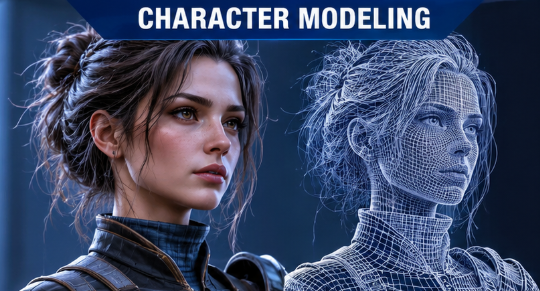
It offers detailed modeling tools, character rigging, animation, visual effects, and rendering capabilities. Artists can use it to create realistic characters, complex environments, and animated scenes.
Maya is particularly useful when character animation and production workflows are important. Its advanced features also make it suitable for experienced 3D artists working on demanding projects.
Key features:
- Polygon and NURBS modeling
- Character rigging
- Advanced animation tools
- Visual effects and simulations
- Procedural workflows through Bifrost
- Professional production pipelines
Pros:
- Powerful animation capabilities
- Advanced modeling tools
- Suitable for professional production
- Supports complex creative projects
Cons:
- Paid subscription
- Requires time and practice to learn
- May be more than a beginner needs
Best for: Professional animators, character artists, film studios, and experienced game developers.
3. Autodesk 3ds Max – Best for Architectural Visualization
Autodesk 3ds Max is another popular professional application, especially for architectural visualization, product presentation, and detailed 3D modeling.
It provides tools for creating objects, environments, materials, lighting, and realistic visual presentations. Architects and designers can use it to turn building concepts into detailed digital scenes.
Its modeling and rendering workflow makes it useful for projects where visual quality and precise presentation matter.
Key features:
- Polygon modeling
- Advanced material creation
- Lighting and rendering
- Environment design
- Animation tools
- Plugin support
Pros:
- Strong architectural visualization capabilities
- Detailed modeling workflow
- Extensive plugin ecosystem
- Useful for professional design projects
Cons:
- Paid software
- Can require powerful computer hardware
- Learning the advanced tools takes time
Best for: Architects, interior designers, product visualizers, and professional 3D artists.
4. SketchUp – Best for Beginners and Architecture
SketchUp is known for its relatively straightforward approach to 3D design. It is particularly popular among architects, interior designers, and people who want to create building layouts or room designs.
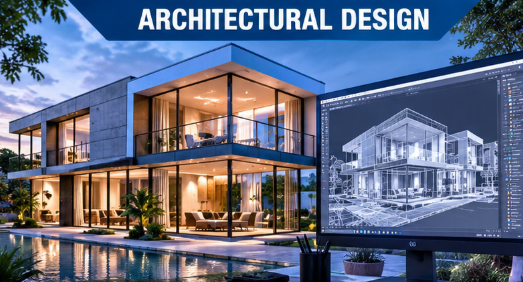
Its interface makes it easier to start creating basic shapes and turn them into complete models. You can also explore a large collection of existing 3D models through its 3D Warehouse.
SketchUp offers different plans and workflows, including web-based and desktop options, depending on the subscription.
Key features:
- Simple 3D modeling tools
- Architectural design workflows
- 3D Warehouse model library
- Material and texture tools
- Extensions and plugins
- Design visualization
Pros:
- Relatively easy to learn
- Useful for building and interior design
- Large model library
- Practical for visualizing design ideas
Cons:
- Some features require paid plans
- Less suited to advanced character sculpting
- Complex organic modeling can be challenging
Best for: Beginners, architects, interior designers, and home design enthusiasts.
5. ZBrush – Best for Digital Sculpting
ZBrush takes a different approach to 3D modeling. Instead of focusing mainly on traditional polygon editing, it gives artists tools to sculpt digital objects in a way that feels similar to working with virtual clay.
This makes it particularly useful for creating detailed characters, creatures, facial features, and organic shapes.
Artists working in movies, games, collectibles, and character design often use digital sculpting tools when they need fine surface details.
Key features:
- Digital sculpting brushes
- High-detail surface creation
- Character and creature design
- Polypainting
- Remeshing tools
- Flexible sculpting workflows
Pros:
- Excellent for detailed organic models
- Powerful sculpting features
- Useful for character creation
- Supports professional creative workflows
Cons:
- Has a learning curve
- Less straightforward for traditional CAD-style work
- Paid licensing options
Best for: Character artists, digital sculptors, game developers, and collectible designers.
6. Cinema 4D – Best for Motion Graphics
Cinema 4D is a professional 3D modeling and animation application known for its motion graphics capabilities.
It includes polygonal and parametric modeling, animation, simulation, and rendering features. Its MoGraph tools are particularly useful for creating animated graphics, repeating patterns, abstract visuals, and broadcast-style effects.
It is also used for product visualization, advertising, and visual effects.
Key features:
- Polygon and parametric modeling
- MoGraph tools
- Animation and simulation
- Redshift rendering integration
- Material and lighting tools
- Procedural workflows
Pros:
- Strong motion graphics workflow
- Flexible modeling features
- Professional rendering capabilities
- Useful for advertising and design projects
Cons:
- Paid subscription
- Some advanced workflows take practice
- May be unnecessary for simple modeling tasks
Best for: Motion designers, advertising professionals, animators, and visual artists.
7. Houdini – Best for Procedural 3D Modeling and Effects
Houdini is a powerful application designed for procedural 3D creation, simulation, and visual effects.
Its node-based workflow allows artists to build systems that generate and modify complex scenes. Instead of manually adjusting every object, users can create rules and reusable processes that control how their projects are built.
Houdini is particularly valuable in film production, large-scale simulations, and technical visual effects.
Key features:
- Procedural modeling
- Node-based workflows
- Particle simulations
- Destruction and fluid effects
- Environment generation
- Advanced visual effects tools
Pros:
- Extremely flexible procedural system
- Excellent simulation capabilities
- Useful for complex production work
- Powerful automation possibilities
Cons:
- Difficult for complete beginners
- Requires a different way of thinking
- Advanced workflows can become complex
Best for: VFX artists, technical artists, simulation specialists, and experienced 3D creators.
8. FreeCAD – Best for Technical and Mechanical Design
FreeCAD is an open-source parametric 3D modeling application designed mainly for technical and engineering-related work.
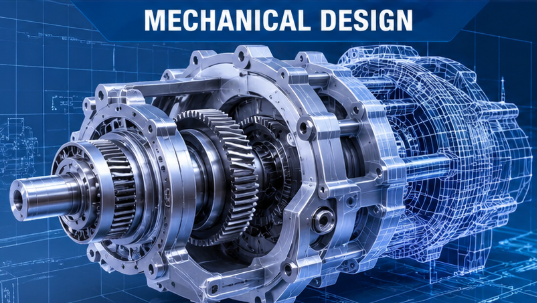
Unlike artistic sculpting applications, FreeCAD focuses on creating accurate models that can be modified through dimensions and design parameters.
It can be useful for mechanical parts, product concepts, engineering projects, and objects intended for 3D printing.
Key features:
- Parametric modeling
- Technical design tools
- Engineering workflows
- Sketch-based modeling
- Measurement and dimension control
- Export options for supported formats
Pros:
- Free and open source
- Useful for precise designs
- Suitable for engineering projects
- Supports parametric editing
Cons:
- Interface may feel less polished to new users
- Not designed primarily for character animation
- Requires some understanding of technical modeling
Best for: Engineers, makers, students, and people interested in mechanical design.
9. Tinkercad – Best for Absolute Beginners
Tinkercad is a browser-based 3D design tool that makes it easier to understand basic modeling concepts.
Instead of starting with complicated professional tools, users can combine simple shapes to create objects. This approach makes it useful for children, students, teachers, and beginners.
It can also be used to prepare simple designs for 3D printing.
Key features:
- Browser-based design
- Simple shape-based modeling
- Beginner-friendly interface
- Basic 3D printing workflows
- Educational design tools
Pros:
- Easy to get started
- No complex installation required
- Useful for learning basic 3D concepts
- Good for simple designs
Cons:
- Limited advanced modeling features
- Not designed for complex animation
- Less suitable for professional production
Best for: Students, educators, hobbyists, and first-time 3D designers.
10. Meshy – Best for AI-Assisted 3D Creation
Meshy is an AI-assisted 3D creation platform that helps users generate 3D assets from text and image inputs.
It can be useful when you want to explore an idea quickly without building every part of a model manually. For example, you can use a text description or an image as a starting point for creating a 3D asset.
However, AI-generated models are not always production-ready. You may still need to clean up geometry, adjust textures, and prepare the model for your intended project.
Key features:
- Text-to-3D generation
- Image-to-3D generation
- AI-assisted texturing
- 3D asset creation
- Export options
- Rapid prototyping workflows
Pros:
- Helps explore ideas quickly
- Useful for early-stage concepts
- Can reduce some manual modeling work
- Accessible to people experimenting with 3D creation
Cons:
- Generated results may need editing
- Output quality can vary
- Advanced production work may require traditional 3D software
- Available features and usage limits depend on the plan
Best for: Beginners exploring AI-generated assets, concept designers, and creators who want to speed up early prototyping.
Comparison of the Best 3D Modeling Software
Here is a quick comparison to help you understand which application may fit your needs.
| Software | Main strength | Pricing approach |
|---|---|---|
| Blender | All-round 3D creation | Free |
| Autodesk Maya | Animation and characters | Paid |
| 3ds Max | Architecture and modeling | Paid |
| SketchUp | Architecture and simple design | Free and paid options |
| ZBrush | Digital sculpting | Paid options |
| Cinema 4D | Motion graphics | Paid |
| Houdini | Procedural effects | Free and paid editions |
| FreeCAD | Engineering design | Free |
| Tinkercad | Beginner modeling | Free |
| Meshy | AI-assisted 3D creation | Free and paid options |
Pricing, licensing, and feature availability can change, so check each developer’s official website before choosing a plan.
How to Choose the Right 3D Modeling Software
Before downloading a program, think about what you actually want to create. A tool that works well for architectural design may not be the best option for creating animated characters.
Here are a few things worth considering.
1. Consider Your Experience Level
If you have never worked with 3D modeling before, start with something approachable. Tinkercad and SketchUp are useful starting points for basic design, while Blender offers a more complete learning path if you are willing to spend time understanding its interface.
2. Check Your Budget
Not everyone needs expensive professional software. Blender and FreeCAD offer powerful free options, while other applications provide subscriptions, trials, or limited free editions.
Think about which features you will actually use before paying for a plan.
3. Understand Your Project Requirements
Different projects require different tools.
- Character animation: Autodesk Maya
- Architectural design: SketchUp or 3ds Max
- Digital sculpting: ZBrush
- Motion graphics: Cinema 4D
- Engineering models: FreeCAD
- AI-assisted asset generation: Meshy
- General-purpose 3D creation: Blender
Choosing software based on your actual work can save both time and money.
4. Check Computer Requirements
Professional 3D applications can demand considerable processing power, particularly when working with complex scenes, simulations, and high-resolution rendering.
Before installing anything, review the official system requirements. Pay attention to your operating system, available RAM, graphics hardware, and storage.
5. Look for Learning Resources
Tutorials and documentation can make a major difference, especially when you are learning a new application.
Check whether the developer provides beginner guides, official documentation, video tutorials, and an active user community.
Can You Learn 3D Modeling Without Paying for Software?
Yes. You do not need to spend money immediately to start learning 3D modeling.
Blender is a strong option because its core application is free and includes tools for modeling, sculpting, animation, and rendering.
Start with simple objects such as a table, chair, cup, or basic room. Once you understand how shapes, surfaces, materials, and lighting work, you can move on to more complicated projects.
The important thing is to practice regularly rather than trying to master every feature at once.
Is AI Replacing Traditional 3D Modeling Software?
AI is changing how people approach 3D design, but traditional modeling software still plays an important role.
AI tools can help generate early concepts, create starting assets, and speed up certain repetitive tasks. However, professional projects often require precise geometry, clean topology, accurate dimensions, proper textures, and control over the final result.
For example, a designer might use an AI tool to explore an initial concept and then refine the model in Blender or another professional application.
The right workflow depends on the project’s complexity and the level of control required.
Frequently Asked Questions
What is the best free 3D modeling software in 2026?
Blender is one of the best free options for general-purpose 3D modeling. It includes modeling, sculpting, animation, rendering, and other creative tools. FreeCAD is another useful choice for technical and parametric design.
Which 3D modeling software is easiest for beginners?
Tinkercad is a good starting point for absolute beginners because of its simple browser-based interface. SketchUp is also relatively approachable, especially for architectural and interior design projects.
Is Blender better than Maya?
It depends on your requirements. Blender offers a broad set of tools without a subscription, making it attractive to independent creators. Maya provides specialized professional workflows for character animation, rigging, and visual effects.
Can I use 3D modeling software for 3D printing?
Yes. Several applications can create models for 3D printing. Blender and FreeCAD are two examples, although you should check the geometry, dimensions, and export settings before sending a design to a printer.
How much does 3D modeling software cost?
Some programs are completely free, including Blender and FreeCAD. Others use subscriptions or offer different licensing plans. The final cost depends on the software, plan, and features you need.
Do I need a powerful computer for 3D modeling?
Not necessarily for basic modeling. Simple projects can run on relatively modest computers, but complex scenes, high-resolution rendering, and advanced simulations benefit from stronger processors, more RAM, and capable graphics hardware.
Final Thoughts
The best 3D modeling software is the one that matches your goals, experience, and budget.
If you want a free application with a wide range of creative tools, Blender is an excellent place to start. SketchUp and Tinkercad are worth exploring if you prefer simpler design workflows. Maya, 3ds Max, ZBrush, and Cinema 4D are stronger choices for more specialized professional work.
For engineering and technical designs, FreeCAD is worth considering, while Houdini is particularly useful for procedural modeling and visual effects.
Take some time to explore the available options before committing to a particular application. Starting with the right tool can make learning 3D modeling much easier and help you build skills that you can use in creative, technical, and professional projects.