Artificial intelligence has completely changed the way people create videos. Instead of spending hours recording, editing, and hiring voice actors, AI video generators can now produce professional-looking videos in just a few minutes.
One of the most popular platforms in this space is HeyGen. It allows users to create AI avatar videos, translate content into multiple languages, clone voices, and generate videos without appearing on camera.
But is HeyGen really worth your money?
In this HeyGen review, we’ll examine its features, pricing, ease of use, advantages, disadvantages, and who should use it. Whether you’re a marketer, educator, business owner, YouTuber, or content creator, this guide will help you decide if HeyGen is the right AI video platform for your needs.
Quick Verdict
| Category | Rating |
|---|---|
| Ease of Use | (5/5) |
| AI Avatars | (5/5) |
| Voice Quality | (5/5) |
| Video Templates | (4/5) |
| Language Support | (5/5) |
| Customization | (4/5) |
| Pricing | (4/5) |
| Overall | 4.8/5 |
Best For:
- Businesses
- Content creators
- Marketing teams
- Online educators
- Agencies
- Social media managers
- YouTubers
What Is HeyGen?
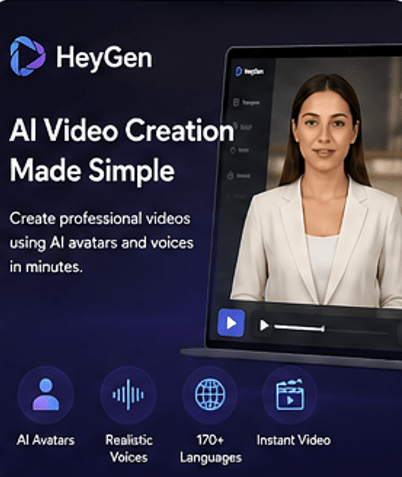
HeyGen is an AI-powered video generation platform that lets users create realistic videos using digital avatars and AI voices.
Instead of recording yourself with a camera, you simply:
- Write a script
- Choose an AI avatar
- Select a voice
- Generate the video
Within minutes, HeyGen creates a professional video that looks like a real person speaking.
This makes it ideal for:
- Marketing videos
- Product demos
- YouTube content
- Employee training
- Customer support videos
- Sales presentations
- Educational lessons
- Social media content
Key Features of HeyGen
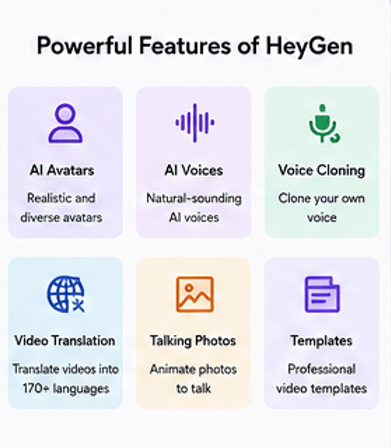
1. AI Avatars
The biggest feature of HeyGen is its large collection of realistic AI avatars.
You can choose from hundreds of professional-looking presenters with different:
- Ages
- Ethnicities
- Clothing styles
- Backgrounds
- Expressions
Many avatars look surprisingly realistic with natural facial movements and lip synchronization.
Benefits
- No camera needed
- No actors required
- Consistent branding
- Professional appearance
2. Instant Video Generation
Creating videos is incredibly simple.
The process usually takes only a few minutes:
- Start a new project
- Enter your script
- Choose an avatar
- Select a voice
- Pick a template
- Click Generate
The AI handles everything automatically.
3. AI Voices
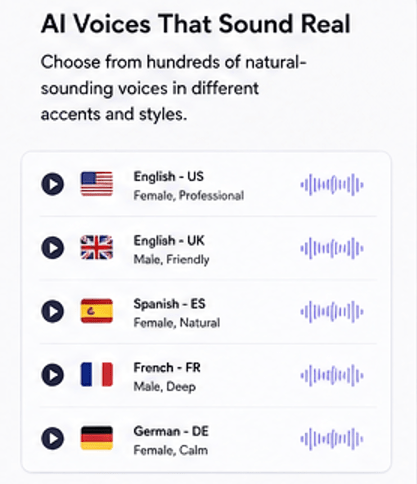
HeyGen includes hundreds of AI voices.
You can choose:
- Male voices
- Female voices
- Different accents
- Various speaking styles
- Emotional tones
The voices sound much more natural than traditional text-to-speech systems.
4. Voice Cloning
One of HeyGen’s premium features is voice cloning.
You can create an AI version of your own voice and use it in future videos.
Benefits include:
- Consistent branding
- Personalized videos
- Faster content creation
- Professional narration
5. AI Script Translation
One standout feature is multilingual translation.
You can translate videos into dozens of languages while preserving natural lip movements.
This is especially useful for:
- Global businesses
- Online courses
- International marketing
- Customer support
6. Video Templates
HeyGen includes professionally designed templates for:
- Product promotions
- Tutorials
- Corporate training
- News updates
- Social media
- Sales videos
- Explainer videos
Templates help beginners create attractive videos quickly.
7. Talking Photos
Upload a photo, and HeyGen can animate it into a talking character.
This feature works well for:
- Historical characters
- Educational content
- Presentations
- Entertainment
8. Custom Avatars
Businesses can create custom AI avatars based on real people.
This is useful for:
- CEOs
- Brand ambassadors
- Trainers
- Influencers
Instead of recording new videos repeatedly, the avatar can deliver unlimited content.
9. Brand Kit
Businesses can maintain consistency by adding:
- Logos
- Colors
- Fonts
- Brand assets
This helps create professional videos that match company branding.
10. Collaboration Tools
Teams can work together on projects by sharing:
- Video drafts
- Templates
- Assets
- Brand libraries
This feature is especially valuable for agencies and larger organizations.
User Interface
One of HeyGen’s strongest points is its clean and beginner-friendly interface.
Everything is organized into clear menus, making it easy even for first-time users.
Most videos can be created in less than 10 minutes.
Rating: 5/5
Performance and Video Quality
HeyGen produces high-definition videos with:
- Smooth lip sync
- Natural facial expressions
- Good lighting
- Professional backgrounds
- Clear AI voices
Rendering speed is generally fast, though complex projects may take longer depending on server demand.
Supported Languages
HeyGen supports numerous languages, making it suitable for international audiences.
Examples include:
- English
- Spanish
- French
- German
- Italian
- Portuguese
- Japanese
- Korean
- Chinese
- Hindi
- Arabic
- And many more
This makes it a strong choice for businesses with global customers.
HeyGen Pricing
HeyGen offers multiple pricing plans designed for individuals, creators, and businesses.
Typically, plans include:
- Free Plan – Limited credits and basic features.
- Creator Plan – More video minutes, premium avatars, and additional customization.
- Team Plan – Collaboration tools and expanded limits for teams.
- Enterprise Plan – Custom pricing with advanced security, dedicated support, and enterprise-level features.
Pricing and available features may change over time, so it’s best to check the official website for the latest information before subscribing.
Pros and Cons
Pros
- Very beginner-friendly
- High-quality AI avatars
- Excellent voice quality
- Fast video creation
- Supports many languages
- Professional templates
- Voice cloning
- Talking photo feature
- Team collaboration
- Regular feature updates
Cons
- Premium plans can be expensive for casual users
- Free plan has limited credits
- Some avatar customization options are restricted to higher-tier plans
- Rendering times may increase during peak usage
- Advanced editing is less flexible than traditional video editors
Who Should Use HeyGen?
HeyGen is a great fit for:
Content Creators
Create YouTube videos without appearing on camera.
Small Businesses
Produce marketing videos quickly and consistently.
Digital Marketers
Generate ad creatives, promotional videos, and product explainers.
Teachers
Create engaging online lessons and training materials.
HR Teams
Develop onboarding and employee training videos.
Agencies
Produce client videos faster while maintaining quality.
Who Should Avoid HeyGen?
HeyGen may not be ideal if you:
- Need advanced cinematic video editing
- Prefer full manual control over every animation
- Create complex visual effects
- Have a very limited budget
Traditional editing software may better suit those needs.
HeyGen vs Competitors
| Feature | HeyGen | Synthesia | VEED AI | InVideo AI |
|---|---|---|---|---|
| AI Avatars | ✅ Excellent | ✅ Excellent | Limited | Limited |
| Voice Cloning | ✅ Yes | Limited | Yes | Yes |
| Talking Photos | ✅ Yes | No | Yes | Limited |
| Templates | Excellent | Good | Excellent | Excellent |
| Languages | 170+ | 140+ | Many | Many |
| Ease of Use | Excellent | Excellent | Very Good | Very Good |
| Team Features | Excellent | Excellent | Good | Good |
HeyGen stands out with its realistic avatars, multilingual video translation, voice cloning, and talking photo capabilities.
Real-World Use Cases
People use HeyGen for:
- YouTube videos
- TikTok content
- Instagram Reels
- Facebook ads
- Product demonstrations
- Online courses
- Employee onboarding
- Customer support
- Real estate walkthroughs
- Sales presentations
- Internal business communications
Tips for Getting the Best Results
To create better videos:
- Write short, conversational scripts.
- Use punctuation for natural pauses.
- Match the avatar to your audience.
- Keep videos focused on one topic.
- Preview before exporting.
- Use your brand colors and logo.
- Choose a voice that fits your message.
- Test different templates for engagement.
Is HeyGen Safe?
Yes. HeyGen is widely used by businesses, creators, educators, and marketing teams.
As with any AI platform, users should:
- Follow copyright laws.
- Obtain permission before cloning someone’s voice or likeness.
- Avoid creating misleading or deceptive content.
- Protect sensitive business information.
Using AI responsibly helps maintain trust and compliance.
Read Our Guide On:
Gamma AI Review (2026): Features, Pricing, Pros & Cons
Conclusion
HeyGen is one of the best AI video generators available today. It combines realistic AI avatars, natural voices, multilingual support, and an intuitive interface into a platform that is accessible to both beginners and professionals.
Its ability to create high-quality videos without cameras, studios, or editing expertise can save significant time for marketers, educators, and businesses. While the free plan is somewhat limited and advanced features require a paid subscription, the overall value is impressive for anyone producing video content regularly.
If your goal is to create professional AI-powered videos quickly, HeyGen is a strong investment worth considering.
Overall Rating: ⭐ 4.8/5
Read Our Guide On:
Zendesk Review 2026: Features, Pricing, Pros & Cons
Frequently Asked Questions (FAQs)
Is HeyGen free to use?
Yes. HeyGen offers a free plan with limited video credits and basic features. Paid plans unlock additional avatars, video minutes, and advanced capabilities.
Can I create videos without showing my face?
Yes. HeyGen allows you to generate videos using AI avatars, so you don’t need to appear on camera.
Does HeyGen support multiple languages?
Yes. It supports more than 170 languages and accents, making it suitable for global audiences.
Can I clone my own voice?
Yes. Voice cloning is available on eligible paid plans, allowing you to create videos using an AI version of your voice.
Is HeyGen good for YouTube?
Yes. Many creators use HeyGen for YouTube explainers, tutorials, reviews, educational videos, and Shorts.
Can businesses use HeyGen?
Absolutely. Businesses use it for marketing, employee training, customer support, product demonstrations, and internal communications.
Is HeyGen better than Synthesia?
Both platforms are excellent. HeyGen is often preferred for its realistic avatars, talking photo feature, voice cloning, and multilingual translation, while Synthesia is also a strong choice for enterprise training and corporate videos.
Does HeyGen add watermarks?
The free plan may include watermarks or usage limitations. Paid plans typically provide watermark-free exports.
What types of videos can I create?
You can create explainer videos, advertisements, educational lessons, product demos, onboarding videos, social media clips, presentations, and more.
Is HeyGen worth it?
Yes. If you create videos regularly and want to save time while maintaining professional quality, HeyGen offers excellent value for individuals and businesses alike.
Read Our Guide On:
Manus AI Review 2026: Honest Features & Pricing Guide

Mehtab Hassan is the founder and tech writer at Brozly, where he publishes easy-to-understand articles on AI, software, cybersecurity, smartphones, laptops, and emerging technology. His goal is to help readers make smarter tech decisions through detailed reviews, practical tutorials, and beginner-friendly guides. He is passionate about exploring the latest innovations and delivering accurate, up-to-date content that everyone can understand.