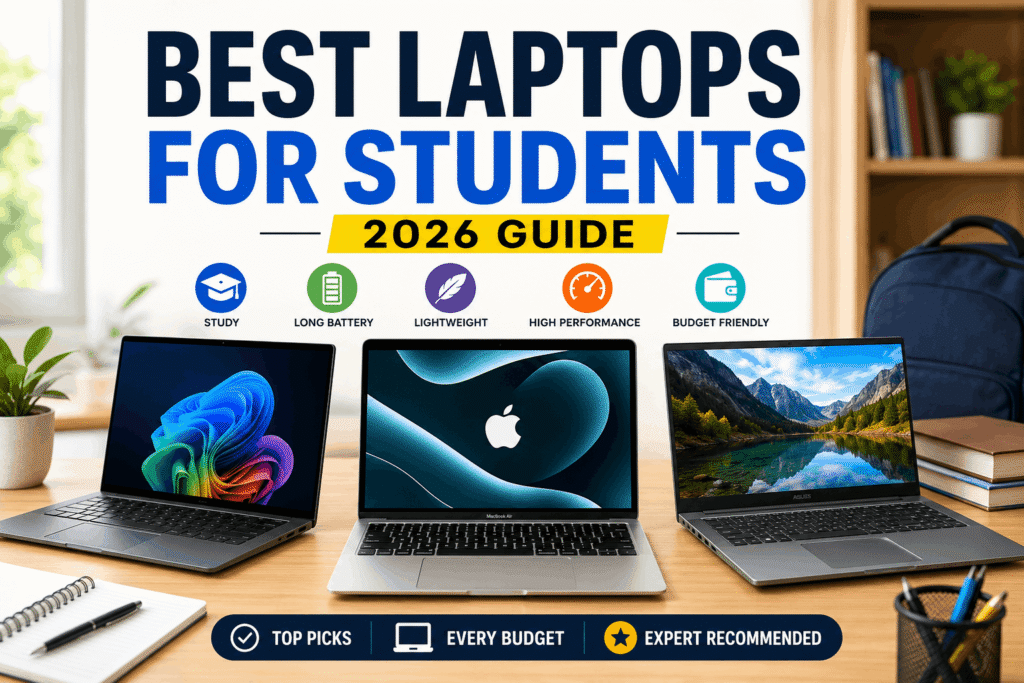
Finding the best budget laptops in 2026 does not mean you have to settle for a slow or unreliable machine. The key is knowing which features matter most and which upgrades you can live without. A laptop that handles everyday work smoothly may be a much better purchase than a cheaper model with impressive-looking specifications but poor overall usability.
The best budget laptops offer a sensible balance of performance, battery life, display quality, storage, and price. Some are ideal for students and online classes, while others are better suited to office work, writing, browsing, or light creative tasks.
In this guide, we will explain what to look for in an affordable laptop, compare popular budget-friendly options, and help you choose a device that fits your needs without paying for features you will rarely use.
Quick Answer: What Is the Best Budget Laptop?
For most people, the best budget laptop is one with a reliable modern processor, at least 8GB of RAM, SSD storage, a Full HD display, and enough battery life for a typical day. If your budget allows, 16GB of RAM is a better long-term choice, especially if you regularly keep multiple applications and browser tabs open.
A Windows laptop is usually the more flexible choice for desktop software, office applications, and general productivity. A Chromebook can offer better value if most of your work happens in a web browser. For buyers who prefer macOS, an entry-level or previous-generation MacBook may be worth comparing when its price fits the budget.
There is no single best laptop for everyone. Your ideal choice depends on what you do, how much you can spend, and which features matter most.
Best Budget Laptops: Options Worth Comparing
Rather than choosing a laptop based on its brand name alone, compare models according to how you plan to use them. The following options provide a useful starting point for your research.
1. Lenovo IdeaPad Slim Series — Best for Everyday Productivity
Lenovo’s IdeaPad Slim range is worth considering if you need a laptop for everyday tasks, including writing, online research, office documents, video calls, and general browsing.
Different configurations offer different processors, memory, and storage capacities. That makes it important to check the exact specification before buying. A model with 16GB of RAM and a 512GB SSD may offer better long-term value than a similarly priced configuration with less memory and storage.
Best for: Students, freelancers, office workers, and everyday users.
What to check: Processor generation, RAM upgrade options, display quality, keyboard comfort, and battery performance.
2. Acer Aspire Go Series — Best for Basic Computing
The Acer Aspire Go range is designed for buyers looking for straightforward computing without paying for premium extras. Depending on the configuration, these laptops can be suitable for schoolwork, email, web browsing, documents, and video streaming.
However, not every Aspire Go model offers the same performance. Entry-level configurations can struggle with demanding applications or heavy multitasking, so check the processor and memory rather than assuming all models are equally capable.
Best for: Everyday home use, students, and basic office tasks.
What to check: At least 8GB RAM, SSD storage, a Full HD screen where available, and a suitable processor for your workload.
3. Acer Chromebook Plus Series — Best for Browser-Based Work
A Chromebook can be a smart budget purchase if you mainly use Google Docs, web-based applications, online learning platforms, email, and browser tools.
Chromebook Plus models offer a more capable experience than many entry-level Chromebooks, although specifications vary. ChromeOS is not a direct replacement for Windows in every situation. Before buying, make sure your essential software, peripherals, and offline tasks are supported.
Best for: Students, online learners, and users who work mostly in a browser.
What to check: Application compatibility, memory, screen size, keyboard layout, and support period.
4. Budget Windows Laptops — Best for Software Flexibility
If you rely on desktop applications, Windows is often the safer option. Budget models from manufacturers such as Dell, HP, ASUS, Acer, and Lenovo can cover a wide range of needs, from basic productivity to more demanding multitasking.
Do not assume that a familiar brand guarantees good value. Two laptops with similar prices can differ significantly in display quality, processor performance, memory, storage, and battery life.
Best for: Office workers, freelancers, and users who need Windows applications.
What to check: Exact CPU model, RAM, SSD capacity, ports, screen quality, warranty, and upgradeability.
5. Entry-Level or Older MacBooks — Best for Buyers Who Prefer macOS
An entry-level MacBook or a discounted previous-generation model may be worth considering if you prefer macOS, value a portable design, and want a laptop for writing, productivity, and everyday creative work.
The main challenge is finding a configuration that fits your budget without sacrificing too much memory or storage. Compare the total cost, including any accessories you actually need, rather than focusing only on the advertised starting price.
Best for: Writers, professionals, and users already working within Apple’s ecosystem.
What to check: Memory and storage configuration, software compatibility, warranty, battery condition on used devices, and total purchase price.
Note: These are product families to compare, not a claim that every model has been independently tested. Exact configurations and regional availability can differ.
Budget Laptop Comparison Table
| Laptop type | Best suited for | Main advantage | Main limitation |
|---|---|---|---|
| Lenovo IdeaPad Slim | Study and productivity | Versatile everyday use | Features vary by configuration |
| Acer Aspire Go | Basic computing | Straightforward, budget-focused design | Entry-level models may be limited |
| Acer Chromebook Plus | Browser-based work | Simple ChromeOS experience | Some desktop apps are unavailable |
| Budget Windows laptop | Office and freelance work | Broad software compatibility | Quality varies considerably |
| Entry-level MacBook | macOS productivity | Apple ecosystem integration | Price and upgrade options can limit value |
Use this table as a starting point, then compare the actual model numbers and specifications available in your market.
What to Look for When Buying a Budget Laptop
1. Processor: Choose for Your Actual Workload
The processor affects how quickly a laptop handles applications and demanding tasks. For browsing, documents, online classes, and everyday productivity, a modern entry-level processor may be enough.
If you regularly edit photos, work with large spreadsheets, or run several demanding applications at once, consider a stronger processor. Compare the exact chip model and generation instead of relying only on labels such as Core i5 or Ryzen 5.
An older mid-range processor is not automatically better or worse than a newer entry-level chip. Real-world performance depends on the specific processor, cooling, power limits, and software you use.
2. RAM: Is 8GB Enough?
For basic work, 8GB of RAM can be usable. However, 16GB is a more comfortable target if your budget allows, especially when multitasking.
More memory can help you keep multiple browser tabs, office applications, and communication tools open without running into memory limitations as quickly.
Also check whether the RAM is upgradeable. Some laptops have memory soldered to the motherboard, meaning you may not be able to increase it later.
3. Storage: Prefer an SSD
An SSD generally makes a laptop feel more responsive than a traditional hard drive. It helps with boot times, application loading, and everyday file access.
A 256GB SSD can be sufficient for documents, browsing, and moderate file storage. If you keep many photos, videos, applications, or large project files, 512GB offers more room.
Pay attention to storage type as well as capacity. A laptop with more storage is not automatically the better choice if other important specifications are weaker.
4. Display: Full HD Is a Sensible Target
You will look at your laptop screen for hours, so display quality matters. Where possible, choose a Full HD resolution of 1920 × 1080 or better.
A decent display makes text clearer and provides more comfortable space for documents, spreadsheets, and multitasking. Brightness and viewing angles also matter, particularly if you work near windows or in brightly lit rooms.
If you regularly edit photos or video, look more closely at color accuracy and brightness. These features may be limited on the cheapest models.
5. Battery Life and Portability
A laptop with good battery life gives you more flexibility in classrooms, offices, libraries, and while travelling. However, advertised battery figures do not always match everyday use.
Actual runtime depends on screen brightness, applications, Wi-Fi, processor workload, battery condition, and power settings. Look for independent reviews that test battery life under realistic conditions.
If you travel frequently, consider weight, charger size, and screen dimensions alongside battery capacity.
6. Keyboard, Webcam, and Ports
These details can make a bigger difference than you might expect. A comfortable keyboard is valuable for students, writers, and freelancers who type throughout the day.
If you attend online meetings, check webcam quality and microphone performance. Also look at USB-A, USB-C, HDMI, and headphone connections to make sure the laptop supports your accessories.
A laptop that meets your everyday needs without requiring extra adapters or immediate upgrades may provide better value overall.
Which Budget Laptop Is Best for Your Needs?
Best Budget Laptop for Students
Students should prioritize reliability, a comfortable keyboard, adequate memory, and battery life. A laptop with 8GB RAM and SSD storage can handle basic assignments and online classes, while 16GB RAM provides more flexibility for multitasking.
A Chromebook may be sufficient if coursework is browser-based. Choose Windows if your school or university requires specific desktop software.
Best Budget Laptop for Freelancers and Writers
Writers, bloggers, and freelancers benefit from a good keyboard, a clear display, and enough memory to handle research, documents, browser tabs, and communication tools.
A powerful graphics card is rarely necessary for writing or ordinary administrative work. Spending a little more on a comfortable screen, reliable performance, and a suitable warranty may be a better investment.
Best Budget Laptop for Office Work
For office tasks, look for smooth performance with spreadsheets, presentations, documents, email, and video calls. Check software compatibility before choosing ChromeOS or macOS if your workplace uses Windows-specific applications.
If you frequently work with large files or multitask heavily, prioritize memory and processor performance.
Best Budget Laptop for Light Photo and Video Editing
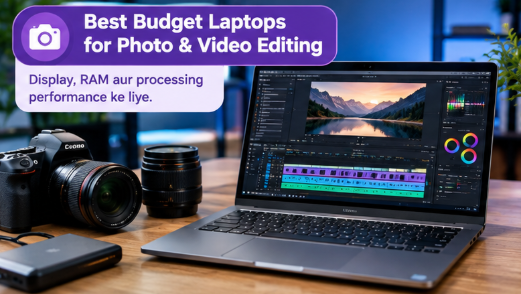
Light creative work usually benefits from a stronger processor, 16GB RAM where possible, a good display, and sufficient SSD storage. Integrated graphics may be adequate for simple projects, but demanding editing workflows can require substantially more performance.
Do not buy a basic laptop expecting it to handle professional 4K editing, advanced effects, or heavy 3D workloads comfortably. For those tasks, consider a more capable machine or a specialized laptop guide.
How Much Should You Spend on a Budget Laptop?
The right budget is the amount that gets you the performance you need without paying for features you will not use.
At the lowest price levels, expect more compromises in screen quality, memory, storage, and build quality. Moving into a slightly higher price bracket may provide a more capable processor, additional RAM, a larger SSD, or a better display.
Before purchasing, compare at least three models in the same price range. Check the exact specifications, warranty, return policy, and independent reviews. A discount is only worthwhile if the laptop is suitable for your needs.
Prices and configurations can change frequently, so confirm current offers with the manufacturer or a trusted retailer before making your final decision.
Common Mistakes to Avoid When Buying a Cheap Laptop
Choosing the lowest price without checking specifications: A very cheap device may have limited memory, slow storage, or a display that makes daily work uncomfortable.
Buying based on the processor name alone: Compare the exact model and generation instead of assuming all Core i5 or Ryzen 5 laptops perform alike.
Ignoring upgrade limitations: Check whether RAM and storage can be upgraded before buying.
Expecting a budget laptop to handle everything: Basic productivity and demanding gaming are very different workloads. Match the laptop to the tasks you actually perform.
Overlooking warranty and condition: When buying a used or refurbished laptop, inspect battery health, keyboard function, ports, screen condition, charger, and warranty coverage. Ask for the exact specifications and test the device before paying where possible.
Forgetting software compatibility: Make sure your essential applications work with the operating system you choose.
Frequently Asked Questions
What is the best budget laptop in 2026?
The best budget laptop in 2026 depends on your needs. A Windows laptop is a flexible choice for general productivity, a Chromebook can suit browser-based work, and an entry-level MacBook may appeal to macOS users. Compare exact configurations, prices, and independent reviews before choosing.
Is 8GB RAM enough for a budget laptop?
Yes, 8GB RAM can be sufficient for browsing, documents, online classes, and basic office work. However, 16GB RAM is preferable if you regularly multitask or want more room for future software requirements.
Is a Chromebook better than a Windows laptop?
A Chromebook can be a good choice if you mainly use browser-based applications and supported Android or web tools. Windows is generally more flexible for traditional desktop software and specialized applications. The better option depends on compatibility with your daily tasks.
How much SSD storage do I need?
For basic work, 256GB may be enough. If you store many files, use several applications, or work with photos and videos, consider 512GB or more. External storage and cloud services can also help, but they do not replace the convenience of sufficient local storage.
Can a budget laptop last five years?
It is possible, but lifespan depends on build quality, maintenance, battery condition, software requirements, and how heavily the laptop is used. Choosing sufficient RAM and storage at the beginning can reduce the need for an early replacement.
Are used business laptops worth buying?
They can offer good value, especially when they have a solid build and useful specifications. However, inspect battery health, overall condition, repair history where available, and warranty terms. A low price is not worth it if the laptop needs expensive repairs.
Can I use a budget laptop for gaming?
Basic or older games may run on some budget laptops, but performance depends on the processor and graphics hardware. Modern demanding games often need a dedicated GPU and stronger cooling, which usually increases the price.
What should I check before buying a laptop online?
Confirm the exact model number, processor, RAM, SSD capacity, display resolution, operating system, warranty, return policy, and seller reputation. Read independent reviews and make sure the advertised configuration matches the product you will receive.
Final Verdict
The best budget laptop is not necessarily the cheapest one. It is the laptop that handles your everyday tasks reliably, offers a comfortable screen and keyboard, and provides enough performance to remain useful for years.
For most buyers, a modern processor, SSD storage, at least 8GB RAM, and a Full HD display are sensible starting points. If possible, consider 16GB RAM for more comfortable multitasking. Choose Windows for broader desktop software compatibility, ChromeOS for browser-focused work, or macOS if it fits your budget and workflow.
Take a little time to compare specifications and verify current prices before purchasing. A careful choice can save money now and help you avoid replacing an unsuitable laptop too soon.