Finding the best gaming laptops in 2026 is not just about choosing the most expensive machine or buying a laptop with the biggest graphics card. The right choice depends on the games you play, your budget, the display you prefer, and how often you need to carry your laptop around.
Modern gaming laptops can handle demanding PC games, competitive multiplayer titles, streaming, and even creative workloads. However, two laptops with similar specifications can deliver noticeably different gaming experiences because of differences in cooling, graphics power limits, display quality, and overall design.
Whether you want an affordable laptop for esports, a balanced machine for everyday gaming, or a premium system for demanding AAA titles, this guide to the best gaming laptops 2026 will help you understand which options deserve your attention.
Our guide to the best gaming laptops 2026 focuses on performance, value, portability, and the features that matter most to everyday gamers.
Quick Picks: Best Gaming Laptops in 2026
Here are the main gaming laptop options worth considering for different needs.
- Best premium gaming laptop: Razer Blade 16 (2026)
- Best compact gaming laptop: ASUS ROG Zephyrus G14
- Best budget-oriented option: MSI Katana 15 HX
- Best high-performance option: Lenovo Legion Pro 7i
- Best large-screen gaming laptop: Alienware 18 Area-51
- Best value alternative: Lenovo LOQ series
These recommendations represent different performance and price categories rather than a universal ranking. Exact specifications vary by configuration, and the best deal will depend on the graphics card, memory, display, and local pricing.
1. Razer Blade 16 (2026): Best Premium Gaming Laptop
The Razer Blade 16 is a strong option for gamers who want high-end performance in a relatively refined design. Its premium construction, powerful graphics configurations, and high-quality display make it appealing to people who want a laptop that feels as impressive as it performs.
Depending on the configuration, the Blade 16 can include an NVIDIA GeForce RTX 50-series laptop GPU, a fast OLED display, and hardware capable of handling demanding modern games. These features also make it suitable for video editing, streaming, and other graphics-intensive tasks.
One of its biggest advantages is its balance between performance and portability. Compared with particularly bulky desktop-replacement laptops, a thinner premium gaming machine can be easier to carry between home, work, and travel.
The main drawback is the price. High-end configurations can cost considerably more than mainstream gaming laptops, and powerful hardware still produces heat and fan noise under heavy loads.
Best for: Gamers who prioritize premium build quality, high performance, and a sophisticated design.
2. ASUS ROG Zephyrus G14: Best Compact Gaming Laptop
Not everyone wants to carry a large gaming laptop. The ASUS ROG Zephyrus G14 is worth considering if you want a more portable device without giving up serious gaming capability.
Its compact 14-inch design makes it easier to fit into a backpack, while selected configurations offer powerful processors, dedicated NVIDIA graphics, and high-resolution OLED displays. That combination is useful for gaming, studying, productivity, and creative work.
The smaller display is a practical advantage when travelling, but it also creates a compromise. A 14-inch screen offers less viewing space than a 16-inch or 18-inch laptop, particularly when a game contains detailed interfaces or multiple on-screen elements.
Configuration matters here. Entry-level and high-end versions can differ significantly in graphics performance, memory, and price, so check the exact model before buying.
Best for: Students, frequent travellers, and gamers who need a compact laptop for more than gaming alone.
3. MSI Katana 15 HX: Best Budget-Oriented Gaming Laptop
The MSI Katana 15 HX is worth investigating if your main goal is to get dedicated graphics performance without paying flagship prices.
Selected configurations feature Intel Core processors and NVIDIA GeForce RTX 50-series laptop graphics, including entry-level options intended for mainstream gaming. A properly configured model can be suitable for competitive games and many modern titles at 1080p.
The most important thing is to compare the complete configuration rather than judging the laptop by its name. A version with an entry-level GPU, limited storage, or a basic display may be less attractive than a discounted competitor with better overall specifications.
Budget gaming laptops also tend to make compromises in areas such as display brightness, chassis materials, battery life, and cooling noise. These limitations do not necessarily make them bad purchases, but they should be understood before spending your money.
Best for: Gamers who want dedicated graphics and practical performance without moving into premium price categories.
4. Lenovo Legion Pro 7i: Best for Demanding Games and Multitasking
The Lenovo Legion Pro 7i is a strong candidate for people who care more about sustained gaming performance than having the thinnest possible laptop.
Depending on the generation and configuration, Legion Pro systems can combine high-performance Intel processors, powerful NVIDIA laptop graphics, fast displays, and cooling systems designed for demanding workloads.
This makes the range particularly interesting for AAA gaming, high-refresh-rate gameplay, streaming, and creative applications. A powerful configuration may also offer enough memory and graphics performance to manage several demanding tasks without feeling restrictive.
However, the laptop’s actual capabilities depend on its installed GPU, graphics power limit, and cooling design. A model with a weaker graphics configuration should not automatically be considered equivalent to a more expensive version simply because both use the Legion Pro name.
Its size, weight, power adapter, and fan noise are also worth considering if you plan to travel frequently.
Best for: Enthusiasts who want a powerful gaming and productivity machine for regular use.
5. Alienware 18 Area-51: Best Large-Screen Gaming Laptop
Some gamers prefer a laptop that stays mostly on a desk. For them, the Alienware 18 Area-51 is an interesting desktop-replacement option.
Its large display provides more room for immersive games, detailed environments, and multitasking. Depending on the configuration, the system can also offer powerful processors, high-end graphics, and a premium build.
The larger chassis can accommodate substantial cooling hardware, although actual temperatures and performance still depend on the specific configuration and workload. The additional screen space can be particularly enjoyable for simulation games, role-playing games, racing titles, and other experiences where immersion matters.
The obvious disadvantage is portability. An 18-inch gaming laptop is generally heavier and less convenient to carry than a compact 14-inch model. It may also be more expensive than a mainstream gaming laptop with comparable midrange graphics.
Best for: Gamers who want a large display and desktop-like performance in a single portable system.
6. Lenovo LOQ: Best Value Alternative
The Lenovo LOQ series deserves attention from buyers who want practical gaming performance without paying for every premium feature.
Depending on the model year and configuration, LOQ laptops may offer dedicated NVIDIA graphics, modern processors, upgradeable memory, and storage options that suit everyday gaming.
For many buyers, this is a sensible approach. Instead of spending extra on an expensive chassis or features they rarely use, they can prioritize the graphics card, memory, and display that directly affect their gaming experience.
Before choosing a LOQ model, check the GPU generation, graphics power limit, RAM arrangement, SSD capacity, and screen specifications. Lower-priced versions can differ considerably from better-equipped models in the same product family.
It is also worth comparing the final price with similarly configured laptops from Acer, ASUS, and MSI. A sale on a competing model may offer a better display or more memory for a similar amount.
Best for: Budget-conscious gamers who want a balanced machine and are willing to compare configurations carefully.
What Specifications Matter Most in a Gaming Laptop?
Choosing the right hardware is often more important than choosing a particular brand. Here are the specifications you should understand before buying.
Graphics Card (GPU)
The GPU has a major influence on gaming performance, especially in graphically demanding titles.

For entry-level gaming, an RTX 5050-class laptop GPU may be sufficient for many 1080p gaming needs. An RTX 5060 can be an attractive step up, while RTX 5070, RTX 5070 Ti, RTX 5080, and RTX 5090 laptop configurations target progressively more demanding workloads and higher performance tiers.
These are broad categories, not guaranteed frame-rate rankings for every laptop. GPU power limits, cooling, game optimization, and resolution can significantly affect results.
If you play competitive games, prioritize consistent frame rates and a suitable high-refresh-rate screen. For visually demanding AAA games, graphics performance and available video memory become especially important.
Processor (CPU)
The processor affects game logic, background tasks, multitasking, and some CPU-heavy games.
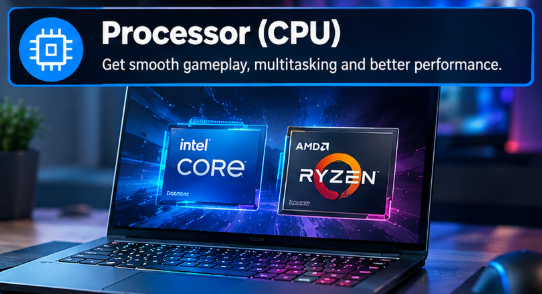
A modern Intel Core or AMD Ryzen processor can work well for gaming, but the most expensive CPU is not automatically the best purchase. In many games, spending more on the graphics configuration can provide a more noticeable improvement than selecting a higher processor tier.
Look at the specific processor model rather than relying only on broad labels such as Core i7 or Ryzen 7.
RAM: 16GB or 32GB?
For a new gaming laptop in 2026, 16GB of RAM is a reasonable starting point for mainstream gaming. However, 32GB is worth considering if you play demanding games while running a browser, voice chat, streaming software, or creative applications.
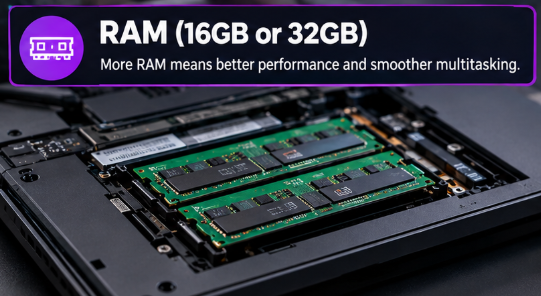
Check whether the laptop uses replaceable memory or soldered RAM. Also, verify the installed memory arrangement, because single-channel memory can affect performance in some situations.
If the laptop is difficult to upgrade, buying enough memory at the beginning can help extend its useful life.
Storage: Choose an SSD Carefully
Modern games can take up a substantial amount of storage space. A 1TB SSD is a practical target for many gamers, particularly if you keep several large games installed at once.
A 512GB SSD can still work for a smaller game library, but you may need to uninstall games more frequently. Before buying, check whether the laptop supports an additional M.2 SSD or whether upgrading the existing drive is straightforward.
Display: Resolution and Refresh Rate
The display affects how smooth and immersive a game feels.
A 1080p screen can make sense for budget gaming, while 1600p displays are attractive for more powerful 16-inch systems. High refresh rates, such as 144Hz or 165Hz, can improve motion clarity and responsiveness in compatible games.
OLED displays offer excellent contrast and vivid colours, while some LCD and Mini-LED displays may provide advantages in brightness or pricing. Compare the actual panel specifications instead of assuming every display in a laptop series is identical.
Cooling and GPU Power Limits
Cooling is one of the most overlooked aspects of gaming laptop shopping.
A powerful GPU needs sufficient cooling and electrical power to sustain performance. Two laptops using the same GPU name can produce different results because their power limits and thermal designs differ.
Look for independent reviews that test sustained gaming performance, temperatures, and fan noise. This information can tell you more than a specification sheet alone.
How Much Should You Spend on a Gaming Laptop in 2026?
For another perspective on gaming laptop recommendations, consult this gaming laptop buying guide and compare its suggested models with your budget and performance needs.
Entry-Level Gaming
Start with a dedicated entry-level GPU, 16GB RAM, an SSD, and a decent 1080p display. This setup can be suitable for esports titles and many mainstream games, although demanding releases may require lower graphics settings.
Midrange Gaming
If your budget allows, consider a stronger GPU, 32GB RAM, and a good 1600p or high-refresh-rate display. This category can provide a useful balance between performance, longevity, and price.
High-End Gaming
Premium systems with more powerful RTX 50-series graphics can suit gamers who want higher settings, demanding AAA games, or more graphics headroom. However, performance gains become increasingly expensive at the top end.
Prices vary by country, retailer, configuration, taxes, and promotions. Buyers in Pakistan should also compare local warranty coverage, availability of replacement parts, and the final price rather than relying only on US prices.
Gaming Laptop vs. Gaming Desktop: Which Is Better?
A gaming laptop is the more practical choice if you need one machine for gaming, work, study, and travel. It combines the screen, keyboard, computer hardware, and battery in a single device.
A desktop usually offers better upgrade flexibility and can provide more gaming performance for the same budget, depending on the components being compared. It is also easier to replace individual parts over time.
Choose a laptop if portability matters. Choose a desktop if maximum performance, easier upgrades, and long-term component replacement are your priorities.
Common Mistakes to Avoid When Buying a Gaming Laptop
Before making your final decision, avoid these common mistakes:
- Buying by GPU name alone: Check its power limit, cooling, and independent performance tests.
- Ignoring the display: A powerful GPU cannot compensate for a poor-quality screen.
- Choosing too little storage: Large games can quickly fill a small SSD.
- Overlooking upgrade options: Check whether the RAM and SSD can be replaced or expanded.
- Expecting long gaming battery life: Demanding games generally perform best while the laptop is connected to its charger.
- Ignoring noise and heat: Powerful gaming systems can become warm and loud under sustained load.
- Paying for unnecessary features: Prioritize the hardware and display that match the games you actually play.
Before choosing an unfamiliar manufacturer, consider warranty coverage, build quality, and real-world performance. Our guide explains how to evaluate a laptop brand before making a purchase.
Frequently Asked Questions
What is the best gaming laptop in 2026?
There is no single best gaming laptop for everyone. The Razer Blade 16 is worth considering for premium performance, the ASUS ROG Zephyrus G14 for portability, and the MSI Katana 15 HX for buyers seeking a more affordable dedicated-GPU system.
Is 16GB RAM enough for gaming in 2026?
Yes, 16GB can be sufficient for many games. However, 32GB offers more flexibility for demanding titles, multitasking, streaming, and creative workloads.
Which GPU should I choose for a gaming laptop?
Choose according to your budget, screen resolution, and the games you play. Entry-level RTX 50-series GPUs can suit mainstream gaming, while stronger configurations are better suited to demanding graphics settings and higher resolutions.
Are gaming laptops worth buying in 2026?
Yes, if portability and an all-in-one setup matter to you. They are useful for people who want to game in different locations or use the same computer for gaming, work, and study.
Can a gaming laptop replace a desktop PC?
For many users, yes. A powerful gaming laptop can handle modern games and everyday productivity, but desktops generally provide more upgrade flexibility and can offer better performance per dollar.
How long does a gaming laptop last?
A gaming laptop can remain useful for several years, depending on its original specifications, maintenance, and the performance required by newer games. Keeping the cooling system clean, avoiding blocked vents, and maintaining adequate storage can help.A gaming laptop’s lifespan depends on its hardware, maintenance, and the demands of newer games. Read our guide on how long laptops last to learn how proper care can help extend a laptop’s useful life.
Final Verdict
The best gaming laptops 2026 are not necessarily the most expensive ones. The right machine is the one that delivers the performance you need without forcing you to pay for features you will rarely use.
Comparing these factors will make it easier to choose from the best gaming laptops 2026 without overspending on features you do not need.
The Razer Blade 16 is worth exploring if you want a premium gaming experience, while the ASUS ROG Zephyrus G14 is a strong option for portability. The MSI Katana 15 HX and Lenovo LOQ are worth comparing if value matters more than luxury features. For larger screens and demanding workloads, consider the Alienware 18 Area-51 or Lenovo Legion Pro 7i.
Before buying, compare the exact GPU configuration, display, RAM, storage, cooling, warranty, and total price. A well-chosen midrange laptop can be a better investment than an expensive flagship that exceeds your actual needs.