The best tax software 2026 depends on your income, deductions, investments, self-employment situation, state filing needs, and how much professional help you want.
Popular options include TurboTax, H&R Block, FreeTaxUSA, TaxSlayer, and TaxAct. They do not all target the same type of taxpayer.
For example, TurboTax focuses heavily on guided filing and different levels of expert assistance. H&R Block combines online tax software with access to tax professionals and physical offices. FreeTaxUSA offers free federal filing with a separate fee for state returns. TaxSlayer provides several packages ranging from simple returns to self-employed filing, while TaxAct offers options covering situations such as investments, rental income, and self-employment.
The right choice is therefore less about finding one universal winner and more about matching the software to your tax situation.
2026 note: Tax software prices and promotions can change during the filing season. Always check the provider’s current checkout price and eligibility before paying.
What Is Tax Software?
If you want to understand the broader concept of software, see our guide to [what is software].
Instead of completing every tax form manually, tax software normally asks questions about your income, family situation, deductions, credits, investments, or business activity. It then uses your answers to complete the appropriate forms and calculate the information needed for your return.
Most modern tax programs can also import information from certain tax documents and previous returns.
For many taxpayers, tax software can be a convenient alternative to preparing a return entirely by hand or visiting a tax professional.
How to Choose the Best Tax Software in 2026
Before choosing a tax filing program, consider these factors:
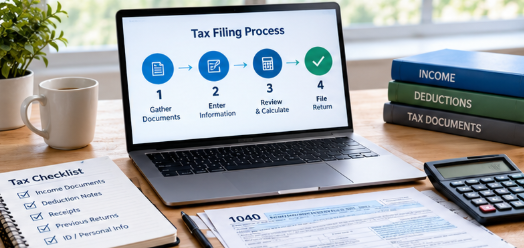
1. Your Tax Situation
A simple W-2 return is very different from a return involving rental property, cryptocurrency, investment sales, or self-employment.
Make sure the software supports the forms and schedules you actually need.
2. Federal and State Pricing
A product advertised as free may not necessarily mean that every part of your tax filing is free.
Check whether the advertised price includes:
- Federal filing
- State preparation
- State e-filing
- Required tax forms
- Professional assistance
- Audit support
- Other optional services
3. Ease of Use
Beginners often benefit from software that asks simple questions and guides them through the process step by step.
More experienced taxpayers may prefer a faster interface with greater control.
4. Professional Support
Some programs allow you to contact tax professionals or upgrade to expert assistance.
This can be useful when your return is more complicated than a basic W-2 filing.
5. Import and Data Transfer
If you have used tax software before, look for a service that can import previous-year information or tax documents.
FreeTaxUSA, for example, says users can upload W-2 and 1099 information and import prior-year returns from several tax services.
Best Tax Software 2026 Compared
| Tax Software | Best Suited For | Federal Pricing/Offer | State Costs | Professional Help |
|---|---|---|---|---|
| TurboTax | Guided filing and users wanting different support levels | Varies by product | Additional fees may apply | Available with paid assistance |
| H&R Block | Families, homeowners, investors, and users wanting tax-pro access | Free and paid options | Additional fees may apply | Yes |
| FreeTaxUSA | Cost-conscious filers | Federal return free | $15.99 listed for state | Paid support options |
| TaxSlayer | Different tax situations and self-employed users | Free and paid options | Additional fees | Available on higher tiers |
| TaxAct | Taxpayers wanting broad tax-situation coverage | Product-dependent | Product-dependent | Available depending on package |
Prices shown are based on provider information available in 2026 and can change.

TurboTax
TurboTax is one of the most recognizable tax-filing services in the United States. Its approach is heavily focused on guided tax preparation, where the software asks questions and directs users toward the relevant sections of their return.
TurboTax also provides different levels of assistance. Depending on the product, users can prepare their own return, receive expert assistance, or use a service where a tax professional handles more of the preparation.
For the 2026 tax year, TurboTax’s desktop pricing page lists products such as Deluxe at $84, Premier at $119, Home & Business at $134, and Business at $194. State e-file fees and other optional services can add to the total.
Who Should Consider TurboTax?
TurboTax may be worth considering if you:
- Prefer guided questions
- Want a familiar tax-preparation interface
- Have investments or other tax situations requiring specialized software
- Want the option of professional assistance
- Prefer to import information rather than enter everything manually
The final cost depends heavily on the tax situation and services selected.
H&R Block
H&R Block offers online tax software as well as access to tax professionals and physical tax offices.
Its online products cover different situations, including simple returns, homeowners, investors, rental income, freelancers, and business owners.
Current H&R Block information lists online products such as Basic, Deluxe + State, Premium, and Premium & Business. Its displayed prices include $50 for Basic, $70 for Deluxe + State, $95 for Premium, and $115 for Premium & Business, although additional fees may apply.
H&R Block also offers professional assistance options. Its current online service information says expert-help options can include live tax experts, screen sharing, chat, and video support.
Who Should Consider H&R Block?
H&R Block may be useful for people who want:
- Online tax filing
- Access to tax professionals
- Support for more complicated tax situations
- A combination of digital and in-person tax services
- Options for homeowners, investors, freelancers, or business owners
Its free online option is intended for simpler tax situations, so taxpayers with more complicated returns may need to upgrade.
FreeTaxUSA
FreeTaxUSA is particularly relevant for people who want to keep federal tax preparation costs low.
The company currently lists $0 federal tax returns and a $15.99 state tax return. It also offers optional paid support and audit-defense services.
The service supports a wide range of tax situations, including investments, home ownership, rental income, self-employment, contractors, and small businesses.
That makes FreeTaxUSA an interesting option for taxpayers who want more than a basic return without automatically paying for a premium software package.
Who Should Consider FreeTaxUSA?
It can be worth considering if you:
- Want free federal filing
- Need support for more than a simple W-2
- Have investment income
- Own a rental property
- Are self-employed
- Want a relatively low-cost filing option
One thing to remember is that free federal filing does not mean free state filing. FreeTaxUSA currently lists a $15.99 state filing price.
TaxSlayer
TaxSlayer provides several packages designed for different types of taxpayers.
Its current pricing information lists Simply Free for qualifying simple returns, Classic at $44.99, Premium at $64.99, and Self-Employed at $74.99, with state fees listed separately for paid plans. Prices can change during the season.
The Self-Employed package is designed for freelancers, contractors, side hustlers, and small business owners, with additional support for 1099 income and Schedule C.
Who Should Consider TaxSlayer?
TaxSlayer may be worth looking at if you:
- Want several package choices
- Have 1099 income
- Are self-employed
- Want access to tax professionals
- Need support beyond a simple W-2 return
TaxSlayer’s Simply Free option has eligibility restrictions, so taxpayers should check the requirements rather than assuming every simple-looking return will qualify.
TaxAct
TaxAct is another established tax-preparation platform with products covering different filing situations.
Its 2026 offerings include support for situations involving investments, rental income, self-employment, and other tax circumstances. TaxAct is also currently promoting a flat-price offer for certain new customers during a specified September–October 2026 period, showing why it is important to check current promotions rather than relying on an old price comparison.
Who Should Consider TaxAct?
TaxAct can be considered by taxpayers who:
- Want a structured online filing process
- Have more than basic employment income
- Have investment or rental income
- Are self-employed
- Want to compare flat-price offers with other tax services
Because TaxAct pricing can change based on the product and promotion, check the current offer before starting your final filing.
What About Free Tax Software in 2026?
Not everyone needs to pay for commercial tax software.
The IRS operates the Free File program with participating tax software providers. For the 2026 filing season, the IRS says taxpayers with 2025 adjusted gross income of $89,000 or less may qualify for one of the guided Free File software options, although individual providers can have additional eligibility requirements.
The IRS also offers Free File Fillable Forms for taxpayers who are comfortable preparing their own federal return using electronic forms. This option is available regardless of income, but it does not provide the same guided experience as tax software.
One important detail is that you should start through IRS.gov when using IRS Free File. The IRS explains that going directly to a commercial partner’s website does not necessarily place you into the IRS Free File program.
Best Free Tax Software 2026
If your main priority is reducing the cost of filing, compare the free options carefully.
FreeTaxUSA currently lists federal filing at $0, with a $15.99 state filing fee.
IRS Free File may provide eligible taxpayers with free guided federal tax preparation through participating providers. The IRS says the 2026 program has eight trusted partners and a $89,000 AGI threshold for guided software eligibility, with each provider setting its own requirements.
H&R Block also offers a free online option for qualifying simple tax situations. However, its free product does not cover situations such as self-employment income, rental income, itemized deductions, capital gains and losses, and several other complex circumstances.
The important lesson is simple: check exactly what “free” includes before starting your return.
Best Tax Software for Self-Employed People
Self-employed taxpayers often need more than a basic tax return.
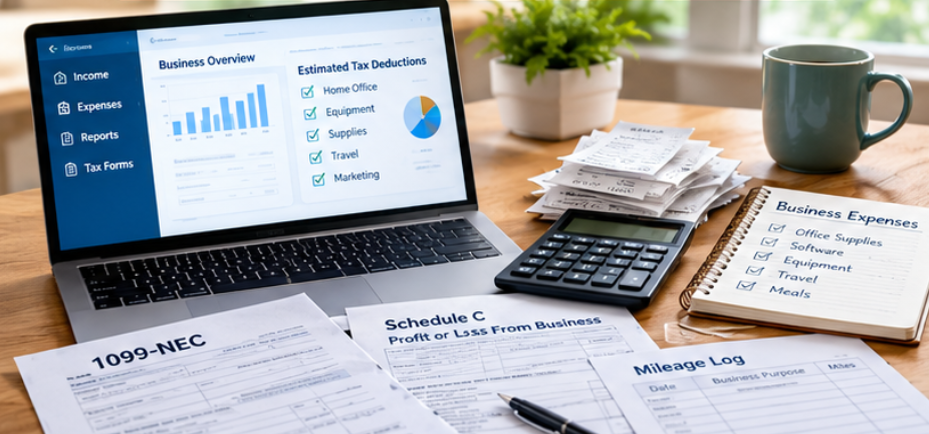
If you are a freelancer, independent contractor, gig worker, or small business owner, look for software that supports:
- Form 1099 income
- Schedule C
- Business expenses
- Home-office deductions where applicable
- Estimated tax information
- Mileage and expense records
- Other self-employment forms
FreeTaxUSA lists support for self-employed filers and small businesses within its federal product.
TaxSlayer’s Self-Employed product includes additional 1099 and Schedule C guidance and access to self-employed tax expertise.
H&R Block also offers a Premium & Business product for freelancers and business owners.
Best Tax Software for Investors
Investors should pay close attention to whether the software supports investment income and capital gains.
If you sold stocks, bonds, cryptocurrency, or other investments, a basic free product may not support everything you need.
FreeTaxUSA lists investment and stock/crypto-related capabilities among its supported situations.
H&R Block’s higher-level products also target investors and rental-property owners.
Before filing, make sure the specific product you select supports the forms associated with your transactions.
Tax Software vs. a Tax Professional
Tax software can be a good fit when you are comfortable answering questions and reviewing your return yourself.
A tax professional may make more sense when your situation involves complicated business structures, multiple complex income sources, unusual transactions, significant investment activity, or other circumstances where professional advice is important.
Some tax software services now combine both approaches. H&R Block, for example, provides online software alongside options for tax-professional assistance. TurboTax also offers different levels of expert help.
The key difference is the level of human involvement and personalized advice you receive.
How Much Does Tax Software Cost in 2026?
There is no single price for tax software.
Your total cost can depend on:
- Federal return type
- State return
- Number of states
- Investment income
- Rental income
- Self-employment
- Professional assistance
- Audit support
- Optional services
For example, FreeTaxUSA currently lists federal filing at $0 and state filing at $15.99.
H&R Block currently lists online products from $50 for Basic through $115 for Premium & Business, with additional fees potentially applying.
TaxSlayer currently lists paid federal products from $44.99 for Classic to $74.99 for Self-Employed, with state charges separate.
TurboTax’s 2026 desktop products currently range from $84 for Deluxe to $194 for Business, before certain state and optional service fees.
These figures demonstrate why comparing the final checkout price for your exact tax situation is more useful than comparing advertised starting prices.
What Should You Look for Before Filing?
Before choosing the best tax software 2026 option for your situation, make a quick checklist.
Check the Forms
Make sure your software supports every form and schedule you need.
Check State Fees
A low federal price can become more expensive once state preparation and e-filing are added.
Check Support
If you expect to need help, compare whether support is included or requires an upgrade.
Check Data Import
Importing W-2s, 1099s, and previous returns can save time and reduce manual data entry.
Review Everything Before Filing
Even when software performs calculations automatically, you should carefully review your personal information, income, deductions, credits, bank details, and other information before submitting.
Read More: How to Use Immorpos35.3 Software: Features, Uses, & Benefits
Frequently Asked Questions About the Best Tax Software 2026
What is the best tax software 2026?
There is no single tax software that is ideal for every taxpayer. TurboTax, H&R Block, FreeTaxUSA, TaxSlayer, and TaxAct offer different combinations of price, features, support, and tax-situation coverage.
What is the cheapest tax software for 2026?
FreeTaxUSA currently lists federal tax returns at $0, while eligible taxpayers may also use IRS Free File options at no cost. State filing and eligibility requirements vary.
Is FreeTaxUSA really free?
FreeTaxUSA currently lists federal tax returns as free. State returns are listed at $15.99, and optional support and other services can cost extra.
Is TurboTax free in 2026?
TurboTax has free and paid options depending on the taxpayer’s situation and the product selected. Users should check the current eligibility requirements and final price before filing.
Is H&R Block free?
H&R Block offers a free online product for qualifying simple returns. More complicated situations may require a paid product.
What is the IRS Free File income limit for 2026?
For the 2026 filing season, the IRS says taxpayers with 2025 adjusted gross income of $89,000 or less may qualify for guided IRS Free File software, subject to each provider’s requirements.
Is tax software safe to use?
Tax software uses security measures to protect taxpayer information, but users should still use strong passwords, secure devices, and official websites. Always verify the website before entering sensitive tax information.
Can I use tax software if I am self-employed?
Yes. Several tax software products support self-employment income and related forms. However, make sure the exact product supports your business and tax situation before purchasing.
Can tax software handle investment income?
Many paid and advanced tax products support investment income. Check whether your selected package supports the forms associated with your stock, bond, cryptocurrency, or other investment transactions.
Do I have to pay for state taxes if federal filing is free?
Not necessarily, but many services charge separately for state preparation or e-filing. For example, FreeTaxUSA currently lists federal filing at $0 and state filing at $15.99.
Is online tax software better than filing by hand?
Online software can make the process easier by asking guided questions and performing calculations, while filing manually gives you more direct control over the forms. The better method depends on your experience and tax situation.
Can I import my previous tax return?
Many tax services allow previous-return information to be imported. FreeTaxUSA, for example, says it can import prior-year returns from several tax services.
What should I do if my tax return is complicated?
Compare software that supports your specific forms and consider professional tax assistance if you need personalized advice.
Can tax software help maximize my refund?
Tax software can identify deductions and credits based on the information you enter, but it cannot create deductions or credits for which you are not eligible. Always provide complete and accurate information.
Should I choose tax software based only on price?
No. Price is only one factor. Supported forms, state fees, ease of use, customer support, professional assistance, and your specific tax situation are also important.
When should I check the final price?
Check the final price before submitting payment or filing. Tax software prices, promotions, and eligibility rules can change during the tax season.
Final Thoughts on the Best Tax Software 2026
The best tax software 2026 option depends on what you need to file and how much help you want.
For a simple return, a free option may be enough. If you have investments, rental income, self-employment, or other complicated tax circumstances, look beyond the headline price and check the exact forms and features included.
FreeTaxUSA currently stands out for its $0 federal filing structure and low listed state fee, while H&R Block provides a combination of online software and access to tax professionals. TurboTax offers guided filing and multiple assistance levels, TaxSlayer provides packages ranging from simple returns to self-employed filing, and TaxAct offers products covering a variety of tax situations.
For taxpayers who qualify, the IRS Free File program is another option worth checking before paying for commercial software. The IRS recommends starting at IRS.gov to determine eligibility and access the appropriate provider.
The smartest approach is to compare your exact tax situation, total filing cost, supported forms, state fees, and available support before making a final choice.